EasyManua.ls Logo

Fellowes HALO 95 - User Manual

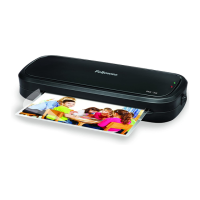
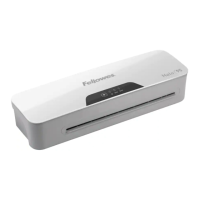
Fellowes HALO 95
11 pages
Print Icon
To Next Page IconTo Next Page
Loading...
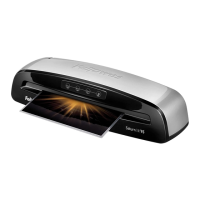
Small Office Laminator
For best quality use Fellowes pouches
Pour une meilleure qualité, utilisez les pochettes Fellowes
Para obtener la mejor calidad, utilice bolsas Fellowes
Please read these instructions before use.
Veuillez lire ces instructions avant l’utilisation.
Lea estas instrucciones antes del usarlo.
E
F
S

Questions and Answers

  • K
    Kimberly HendersonAug 5, 2025
    Why is my Fellowes Laminator jamming?
    • Y
      yfloresAug 5, 2025
      Your Fellowes Laminator might be jamming because a pouch was used ‘open end’ first, the pouch was not centered on entry, the pouch was not straight upon entry, or an empty pouch was used.
  • W
    William ClarkAug 11, 2025
    How to fix waves or bubbles in my Fellowes HALO 95 Laminator pouch?
    • E
      Eric HaneyAug 11, 2025
      The temperature setting on your Fellowes Laminator might be incorrect. Check that the pouch thickness is correctly selected and pass the pouch through the laminator again.
  • P
    Philip JohnsonAug 16, 2025
    What to do if my Fellowes HALO 95 Laminator pouch is lost in the machine?
    • A
      Autumn SchultzAug 17, 2025
      If the pouch is jammed inside the Fellowes Laminator, operate the release lever and gently pull the item out by hand.
  • M
    Mark DuarteAug 23, 2025
    Why is my Fellowes HALO 95 Laminator pouch not completely sealing?
    • B
      Bryan Khan MDAug 23, 2025
      The item may be too thick to laminate. Check that the pass through thickness is correctly selected and try passing it through the Fellowes Laminator again. Alternatively, the temperature setting may be incorrect. Verify that the pouch thickness is correctly selected and pass it through again.
  • D
    daniellindseyAug 29, 2025
    What to do if there is no control panel illumination on my Fellowes HALO 95 Laminator?
    • K
      Kenneth WilliamsAug 29, 2025
      First, ensure that the Fellowes Laminator is switched on at the rear next to the plug inlet and at the wall socket. If the laminator has gone into Auto Shut Off mode, press any button or cycle the power switch to restart the machine.

Summary

Laminator Controls and Quick Start

Laminator Controls Overview

Identifies key physical components of the laminator, such as the power switch and pouch entry slot.

Quick Start Guide

Provides a visual, step-by-step process for initial setup and immediate operation of the laminator.

English Section Details

Laminator Controls and Capabilities

Details the function of each control and lists the machine's technical specifications and performance data.

Important Safety Instructions

Outlines critical safety precautions and warnings for the proper and safe use of the laminator.

Features and Tips

Highlights useful features like Auto Shut-Off and provides tips for optimal lamination results.

Setup, Operation, and Maintenance

Setting Up the Laminator

Instructions for ensuring the machine is correctly positioned and ready for use.

How to Laminate

Step-by-step guide on feeding documents and pouches through the laminator.

Troubleshooting and Storage

Addresses common problems and provides guidance on machine maintenance and cleaning.

Product Information and Warranty

Product Registration and Worldwide Warranty

Information on the product warranty, registration process, and legal disclaimers.

Recommended Pouches

Lists available Fellowes thermal laminating pouches by order number and description.

Customer Support and Compliance

Customer Service & Support

Contact details and website for customer assistance and further information.

FCC and IC Notices

Regulatory compliance information regarding radio frequency emissions.

Fellowes HALO 95 Specifications

General IconGeneral
Laminating Speed12 inches per minute
Number of Rollers2
Auto Shut OffYes
Laminating ThicknessUp to 5 mil
Throat Width9.5 inches
Warm-up Time1 minute
Pouch Thickness3-5 mil

Related product manuals