EasyManua.ls Logo

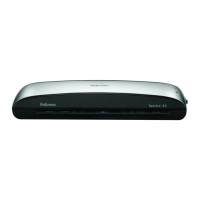
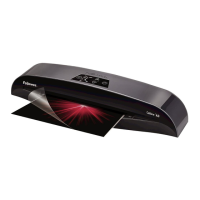
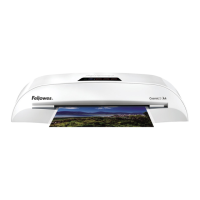
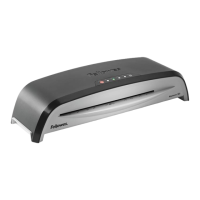
Fellowes Neptune A3 - User Manual

Fellowes Neptune A3
81 pages
Print Icon
To Next Page IconTo Next Page
Loading...
Office Laminator
Auto
Cold
R
MENU/A3
LETTER/A4
PHOTO
Insert Sealed
Edge First
Auto Sense
3 - 7ml | 75
-
175mic
PHOTO
LETTER/A4
MENU/A3
R

Other manuals for Fellowes Neptune A3

Questions and Answers

  • B
    Bryan ReynoldsAug 15, 2025
    What to do if the Fellowes Neptune A3 Laminator reverse button LED is blinking and beeping?
    • J
      John DavisAug 15, 2025
      If the reverse button LED is blinking and a beep is sounding, it means the pouch is either mis-fed or jammed. To resolve this, press and hold the reverse button on the front of the Fellowes Laminator to remove the laminate.
  • A
    Amy WilliamsAug 18, 2025
    How to turn on Fellowes Laminator if there is no glowing ‘blue’ Power on LED?
    • L
      Lisa YoungAug 18, 2025
      If there is no glowing blue power LED on your Fellowes Laminator, the machine might not be switched on. Ensure the machine is switched on at the right side and at the wall socket. Then, press the power standby button.
  • P
    Peter CameronAug 21, 2025
    How to fix a Fellowes Neptune A3 that does not completely seal?
    • S
      Stephanie HuffmanAug 21, 2025
      If your Fellowes Laminator pouch isn't sealing completely, it could be due to a couple of reasons: * The item you're trying to laminate might be too thick. * The temperature setting may be incorrect. Try passing the item through the machine again. Also, double-check that you've selected the correct pouch thickness setting.
  • E
    Elizabeth MorganAug 25, 2025
    How to turn on Fellowes Neptune A3 if there is no red power LED?
    • S
      smithjacobAug 25, 2025
      If the red power LED isn't lit on your Fellowes Laminator, ensure the machine is switched on at the rear next to the plug inlet and at the wall socket.
  • C
    Christian LaraAug 28, 2025
    Why is my Fellowes Neptune A3 pouch lost in the machine?
    • J
      Jay HesterAug 28, 2025
      If a pouch gets lost in the Fellowes Laminator, it means the pouch is jammed. Select the reverse button and gently pull out the pouch by hand to remove it.
  • H
    Hannah GreenAug 31, 2025
    What to do if the pouch is lost in my Fellowes Laminator?
    • C
      cdeckerAug 31, 2025
      If a pouch gets jammed inside your Fellowes Laminator, activate the reverse button and gently pull the item out manually.
  • S
    Stephanie GomezSep 3, 2025
    Why does my Fellowes Laminator pouch have waves or bubbles?
    • K
      Kara HoweSep 3, 2025
      If your laminated pouch has waves or bubbles, it might be due to an incorrect temperature setting. Make sure you've selected the correct pouch thickness setting and try running it through the Fellowes Laminator again.
  • B
    Brian RodriguezSep 7, 2025
    What to do if my Fellowes Laminator pouch is damaged after lamination?
    • C
      cindy67Sep 7, 2025
      If the pouch is damaged after lamination in your Fellowes Laminator, the rollers might be damaged or have adhesive on them. To resolve this, pass cleaning sheets through the machine to test and clean the rollers.
  • B
    Benjamin CooperSep 10, 2025
    Why doesn't the ready light come on my Fellowes Laminator?
    • J
      Jason MyersSep 12, 2025
      If the ready light on your Fellowes Laminator doesn't turn on after a while, it could be because the machine is in a hot or humid environment. Try moving it to a cooler, drier area.

Summary

Laminator Controls

Quick Start Guide

Visual, step-by-step guide for initial setup and operation of the laminator.

Laminator Controls Overview

Capabilities and Specifications

Important Safety Instructions

Features, Tips, and Operation

Key Features: AutoSense, Feed Sensor, Reverse, Sleep Mode

Details on AutoSense, Lamination Feed Sensor, Reverse, and Sleep Mode functions.

Lamination Preparation and Steps

Guidance on pre-lamination checks and the step-by-step lamination process.

Troubleshooting Guide

Need Help?

Storage & Cleaning

Product Registration; Worldwide Warranty

WEEE Disposal Information

Customer Service & Support

Declaration of Conformity

Fellowes Neptune A3 Specifications

General IconGeneral
BrandFellowes
ModelNeptune A3
CategoryLaminator
LanguageEnglish

Related product manuals