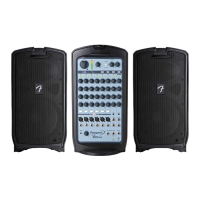
grounded AC power outlet:
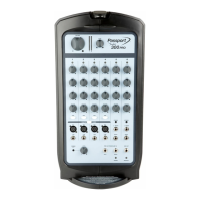
5. INPUTS: Connect microphones to channels 1 through 4; connect other mono sound sources such as instruments
to any channel (large arrows). Use channel 6/7 inputs (smaller arrows) for stereo/mono sound sources such as
keyboards, other line-level audio sources, and mobile devices:
6. INITIAL VOLUME/REVERB: Turn MASTER VOLUME knob, all channel VOLUME knobs and all REVERB knobs
fully counterclockwise to start:
7. POWER UP: Turn on all external equipment connected to Passport first, then turn Passport on. Power LED will
illuminate green:
8. SETTING MASTER VOLUME: Turn MASTER VOLUME up to 1/4 volume:
9. SETTING LEVELS: Connect a microphone or other sound source and slowly turn up that channel’s VOLUME
control (curved yellow arrow). LED above VOLUME control will illuminate green when signal is present. LED will
illuminate yellow when signal is approaching clipping level; will illuminate red when clipping (distortion) occurs. For
best performance, set channel VOLUME and TONE controls (curved green arrows) so that LED is green and
occasionally yellow. If LED turns red, reduce VOLUME or TONE control settings. If LED is still turning red after
adjusting VOLUME and TONE controls, press MIC/LINE button in (straight arrow):



 To Next Page
 Loading...