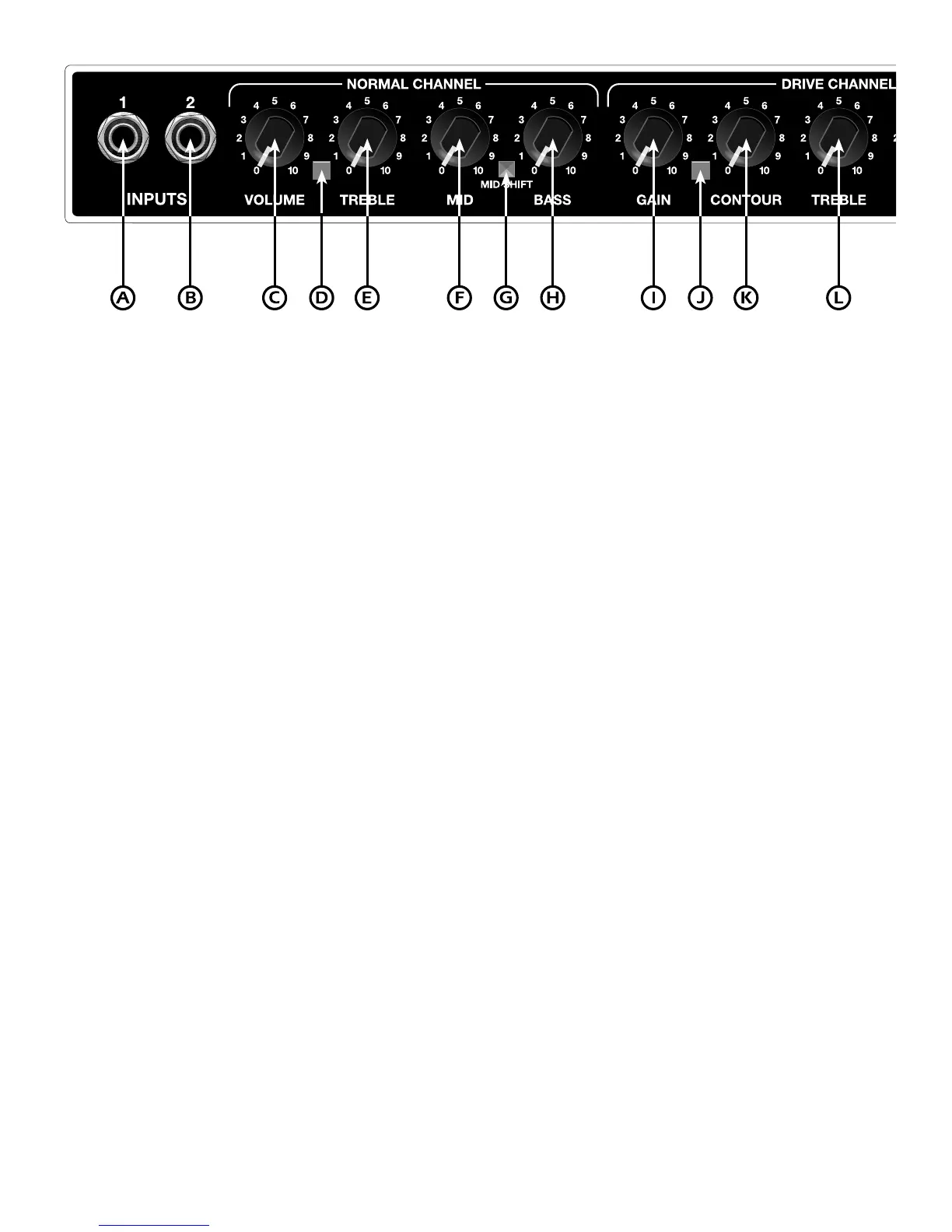
A. INPUT 1 -A high impedance, high sensitivity plug-in connection for instruments.
B. INPUT 2-A plug-in connection for instruments. This input exhibits lower input impedance and sensitivity than INPUT
1, and is useful with active pre-amp guitars. This input will provide a darker tone with passive guitars. Both inputs are
identical when used simultaneously.
C. VOLUME - Adjusts overall volume of the
NORMAL
channel.
D. NORMAL CHANNEL INDICATOR - This L.E..D. is illuminated when operating in the
NORMAL
channel.
E. TREBLE - Adjusts the amount of high frequency boost or cut in the
NORMAL
channel.
F. MID - Adjusts the amount of mid frequency boost or cut in the
NORMAL
channel.
G. MID SHIFT - When this button is depressed, it moves the frequency center of the
NORMAL
channel MID control up
an octave. The tonal effect is a slight increase in bass response and a slight reduction of upper mids for a cleaner
sound.
H. BASS - Adjusts the amount of low frequency boost or cut in the
NORMAL
channel.
I. GAIN - Adjusts the amount of distortion in the
DRIVE
channel. Lower settings provide a gradual compression
distortion, while higher settings provide more sustain. This control works in conjunction with the
DRIVE
channel
VOLUME control (item 0) to set the overall volume of the
DRIVE
channel.
J. DRIVE CHANNEL INDICATOR - This L.E.D. is illuminated when operating in the
DRIVE
channel.
K. CONTOUR - Adjusts the overall tone quality of the
DRIVE
channel. Low CONTOUR settings will emphasize mid
frequencies. A higher setting will notch the midrange to produce the “crunch” sound characteristic in most heavy
metal music.
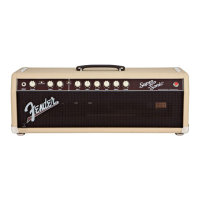
STAGE 112SE FRONT PANEL FUNCTIONS








 To Next Page