GLOSSARY
AUDITION: Auditioning a preset or other signal path element means to sample it before selecting it for use.
BLOCK: A preset ingredient such as an an amplifier, speaker cabinet, effect unit, mixer, splitter, IR profile or external device in an effects loop.
FS MODE: Toggles footswitch layout between Presets and Effect footswitch modes.
GIG VIEW: A simplified touchscreen view of the currently active function, be it a preset, song list or a setlist. Ideal for real-time onstage use.
GLOBAL EQ: A 10-band graphic equalizer for easy adjustment of overall amp response to different acoustic environments; helpful when favorite
presets and settings must be tailored to, for example, brighter- or boomier-sounding rooms, halls, outdoor areas, etc. Rather than re-adjust every
preset and setting individually, users can quickly select among several preset options or create a custom settings for specific venues.
IMPULSE RESPONSE (IR): Digital audio processing that closely simulates the frequency response of a speaker cabinet as captured by a
specific microphone and its placement. The combination of a particular microphone and its placement of it is often referred to as an IR profile.
Tone Master PRO offers a variety of IR profiles.
LATCHING SWITCH: A footswitch type that remains active after it has been pressed. Press again to deactivate.
MODE: An operational level at which sounds are created and organized. Tone Master PRO has six modes: My Presets, Favorites, Factory
Presets, Cloud Presets, Songs and Setlists.
MOMENTARY SWITCH: A footswitch type that is active only while held down.
PRESET: A combination of signal path blocks (amplifiers, effects, etc.) that creates a specific sound. Each amp and effect block has its own set of
user-adjustable parameters that shape the sound in various ways. Tone Master PRO stores up to 504 user-created presets.
SETLIST: A group of songs (see below). Tone Master PRO stores up to 50 user-created setlists.
SIGNAL PATH: The route an audio signal travels from a source (such as an instrument or microphone) on its way to being amplified or record-
ed. A signal path almost always includes an amplifier and may include any number of effects. Tone Master PRO displays a graphic representa-
tion of the signal path in use.
SONG: A group of presets comprising a single specific musical selection (a song in the traditional sense). The presets correspond to specific
parts of a musical selection such as an intro, verse, chorus, bridge, solo, outro, etc. Tone Master PRO stores up to 200 user-created Songs.
GLOSSARY/QUICK START
2
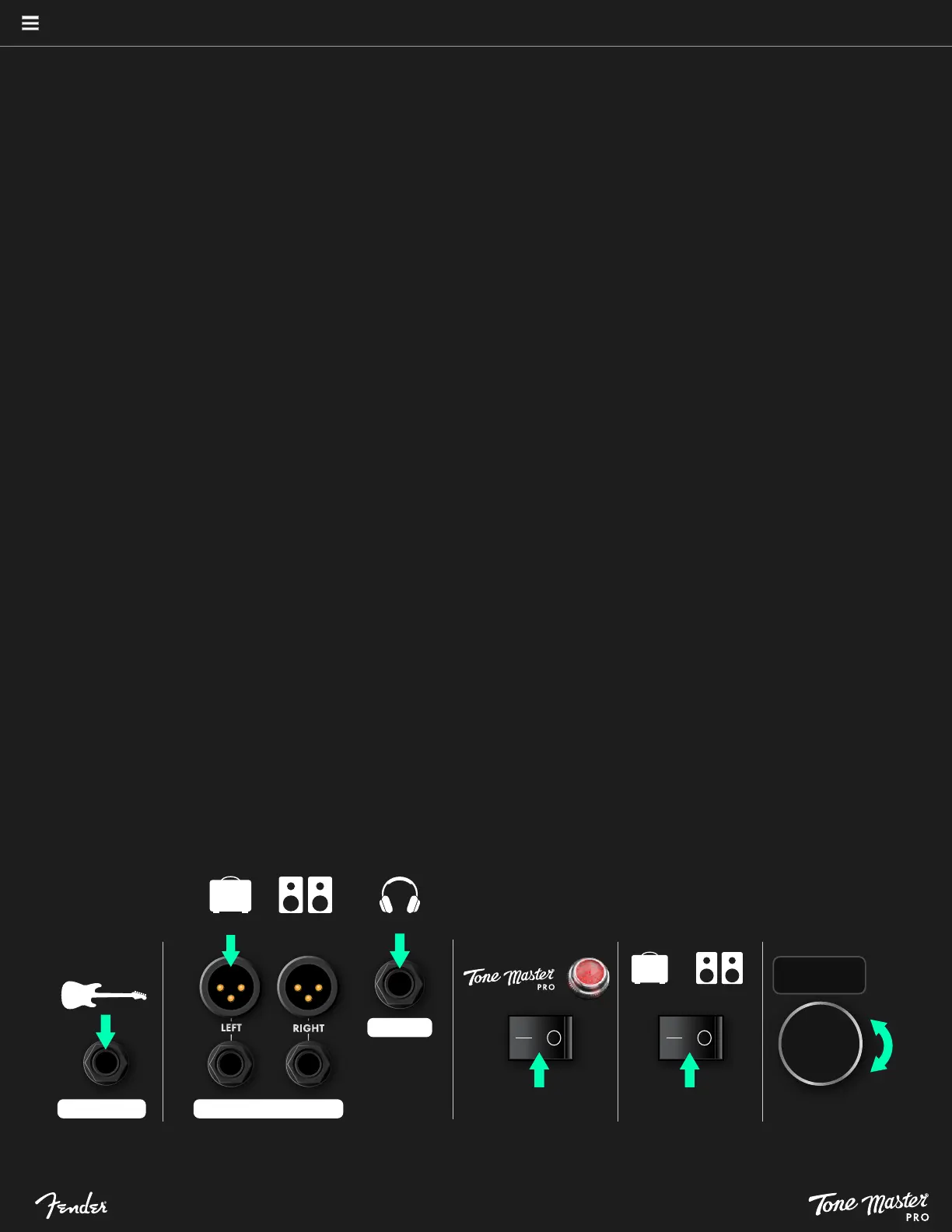
QUICK START: BASIC CONNECTIONS
1. Connect a guitar or bass to INSTRUMENT input jack using a ¼” instrument cable.
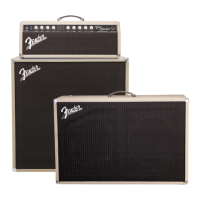
2. Connect XLR cable from OUTPUT 1 left jack to input of an FR cabinet or studio monitors (2a); connect headphones to ¼” HEADPHONES jack (2b).
3. Turn Tone Master PRO on.
4. Turn FR cabinet or studio monitors on (if necessary).
5. Slowly increase volume to desired level.
2b
3
1
4
5
INSTRUMENT
PHONES
OUTPUT 1
HEADPHONES
GUITAR
FR CABINET
OR
STUDIO MONITORS
FR CABINET
OR
STUDIO MONITORS
2a
MASTER: 50%
See pages 38-39 for detailed Tone Master PRO setup diagrams.





 To Next Page