Charging
1. FirstloosenthelightbodytorevealtheMicroUSBchargingportandplugtheUSBAsocketof
thechargingcableintoanelectricaloutlet,thenconnectthemicro USBsocketof the charging
cabletothelight.
2. Theindicatorwilldisplayredwhilechargingandwillturngreenwhenfullycharged.
3. Oncechargingiscompleted,besuretotightenthelightheadtomaintainthedustproofand
waterproofability.
Note:
1.Chargethelighttimelywhenthebatterypowergetstoolowtoensurethenormallifeofthe
battery.
2.Thenormalchargingtimeisapproximately1hourfromdepletiontofullcharging.
3.Rechargeastoredlighteveryfourmonthstomaintaintheoptimumperformanceofthebattery.
IntelligentOverheatProtection
ThelightwillaccumulatealotofheatwhenusedatHighmodeforextendedperiods.Whenthe
lightreachesatemperatureof60°Corabove,thelightwillautomaticallystepdownafewlumens
toreducethetemperature.Whenthetemperaturedropsbelow60°C,itwillthenallowtheuser
forthereselectionofthemode.
UsageandMaintenance
Disassemblingthesealedheadcancausedamagetothelightandwillvoidthewarranty.
Lockthelighttopreventaccidentalactivationduringstorageortransportation.
Long‐termusecanresultinO‐ringwear.Tomaintainaproperwaterseal,replacetheringwith
anapprovedspare.
Included
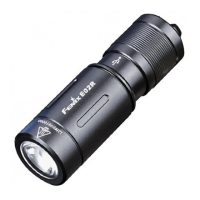
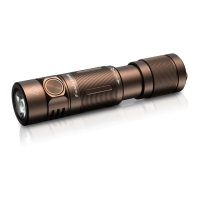
FenixE05Rflashlight,MicroUSBchargingcable,Keychain,SpareO‐ring,Usermanual,Warranty


 To Next Page