9
EN
● Toswitchonthemachine,keepthelock-off
button (2) pressed and simultaneously press
theon/offswitch(1).
● Toswitchoffthemachine,releasetheon/off
switch (1).
The machine is equipped with an overload
protection device which automatically switches off
the machine if the machine is overloaded.
● Switchoffthemachine.
● Removethemachinefromtheworkpiece.
● Switchonthemachine.
● Runthemachineatno-loadforapproximately
1 minute to allow the machine to cool down.
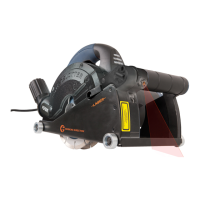
The laser is used for projection of the cut on the
wall.
● Toswitchonthelaser(8),presstheon/off
switch (7).
● Toswitchoffthelaser(8),releasetheon/off
switch (7).
Onlyusethemachinewhenitisconnectedtoa
vacuum device which is approved for stone dust.
The vacuum device must be suitable for the
material to be worked. Use a special vacuum
device when working with toxic materials or
where toxic dust is produced.
2
- Never use a household vacuum cleaner.
The use of a household vacuum cleaner can
easily damage both your health and the
vacuum cleaner.
- Always use the dust extraction adapter.
- Makesurethatthehoseofthevacuumdevice
is securely connected to the dust extraction
adapter.
- Ifthevacuumdevicebreaksdown,stopwork
immediately, switch off the machine, remove
the mains plug from the mains, and try to solve
the problem.
● Insertthedustextractionadapter(26)intothe
dust extraction connection (12).
● Connectthehoseofavacuumdevicetothe
dust extraction adapter (26).
● Drawlinestodenethedirectioninwhichto
guide the cutting discs.
● Holdthemachinewithbothhands.
● Settheslotwidth.
● Takeoneofthefollowingsteps:
- Lowerthemachineintothewallandsetthe
slot depth (recommended). The machine is
placed against the wall and the cutting discs
lower into the wall in order to set the slot
depth more accurately.
- Set the slot depth and lower the machine
into the wall.
● Placethemachinewiththeguiderolleronthe
wall.Makesurethatthecuttingdiscsalign
with the drawn lines on the wall.
● Settheslotdepth.
● Switchonthemachine.
● Waituntilthemachinehasreachedfullspeed.
● Slowlymovethemachinealongthepre-drawn
lines,rmlypressingtheguiderolleragainst
the wall.
● Donotapplytoomuchpressureonthe
machine.Letthemachinedothework.
● Switchoffthemachineandwaitforthe
machine to come to a complete standstill
before putting the machine down.
4
Before cleaning and maintenance,
always switch off the machine and
remove the mains plug from the mains.
● Regularlycleanthehousingwithasoftcloth.
● Keeptheventilationslotsfreefromdustand
dirt.Ifnecessary,useasoft,moistclothto
remove dust and dirt from the ventilation slots.
● Regularlycleanthecuttingdiscstoavoid
inaccuracies during use.
Thelaseruses2AAAbatteries.Ifthelaserstops
working, the batteries must be replaced.
● Removethecover(27)fromthebattery
compartment(9).
● Removetheoldbatteries(28).
● Placethenewbatteries(28).
● Mountthecover(27)tothebattery
compartment(9).
Consulttheenclosedwarrantyterms.


 To Next Page