EasyManua.ls Logo

Fermax iloft - Halo Panel Configuration

Fermax iloft
Print Icon
To Next Page IconTo Next Page
To Previous Page IconTo Previous Page
Loading...
Pag 20
Kit Halo & iLoftKit Halo & iLoft
Kit Halo & iLoft
Kit Halo & iLoftKit Halo & iLoft
Kit Halo & iLoft
27 ºC 10:54
TOP PERFORMANCE PANEL
ACCESS CONTROL SYSTEM
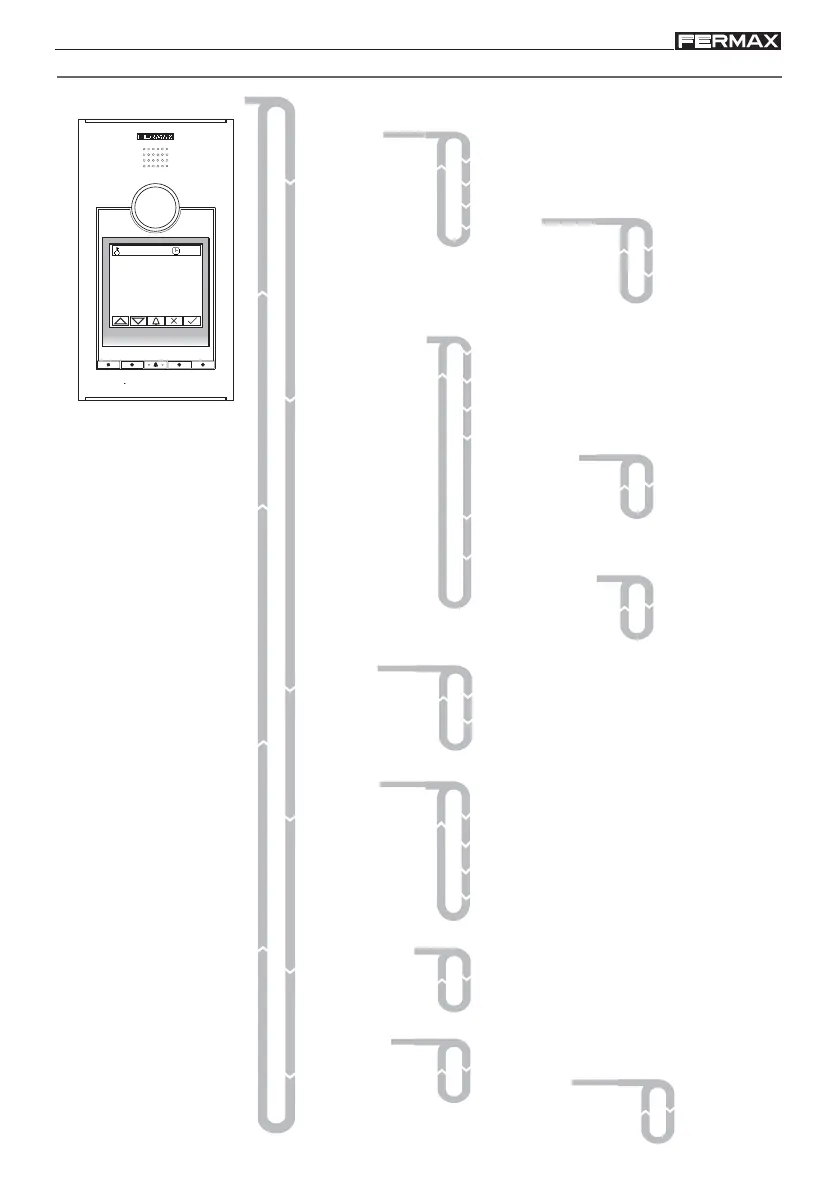
HALO PANEL CONFIGURATION
2- Configuration
1- Users
1- Clock
2- Language
3- Panel Nr
4- Panel type
5- Exit button
6- Backlight
5- Messages
4- Timing
3- Codes
6- Utilities
1- Prog. code
2- Admin. code
3- Master Prox.
1- Door lock T.
2- Hall T.
3- Conversation T.
4- Minimum T.
5- Sensor T.
1- Card holder
2- Installer
1- Clone
2-Temperature
1- Permanent
2- When Keying
1- Master
2- Secondary
1- Used memory
2- Compact
3- Short
1-Celsius
2-Fahrenheit
1- Add
2- Delete
3- Initialize
4- Memory
Main Menu
1.Users
2.Configuration
3.Codes
4.Timing
5.Message

Other manuals for Fermax iloft

Related product manuals