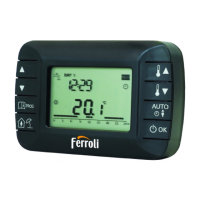
50
EN
cod. 3541S180 - Rev. 04 - 09/2019
No. Parameter Display descripon
1) Clock
Set hours, minutes, year (y), month (m), day (d).
2) Temperature
Set comfort temperature (CFT) / economy
temperature (ECO) / frost protection (FRT)
3) COUP code
RF code (see par. 5.3)
4) DHW temperature
Set DHW temperature, function available only with
OpenTherm connection
5) Boiler informaon
Reading of some boiler parameters only with
OpenTherm connecon
6) Installer data
Installer parameters
7) Exit
Return to the home page
» Press the buttons and to select the clock menu, and then “set” to
enter.
» Press the “set” button to select the data to be changed with this sequence:
hour, minutes, year, month, day.
» Press the buttons and to change the value.
» Press to go back.
» Press the buttons and to select the temperature menu, and then “set”
to enter.
» Press the buttons and to select the temperatures to be changed:
» ( ) – ( ) – ( )
» Press the buttons and to change the value of the selected temperature.
» Press “set” or to return to the previous menu.
» See par. 5.3.


 To Next Page