EasyManua.ls Logo

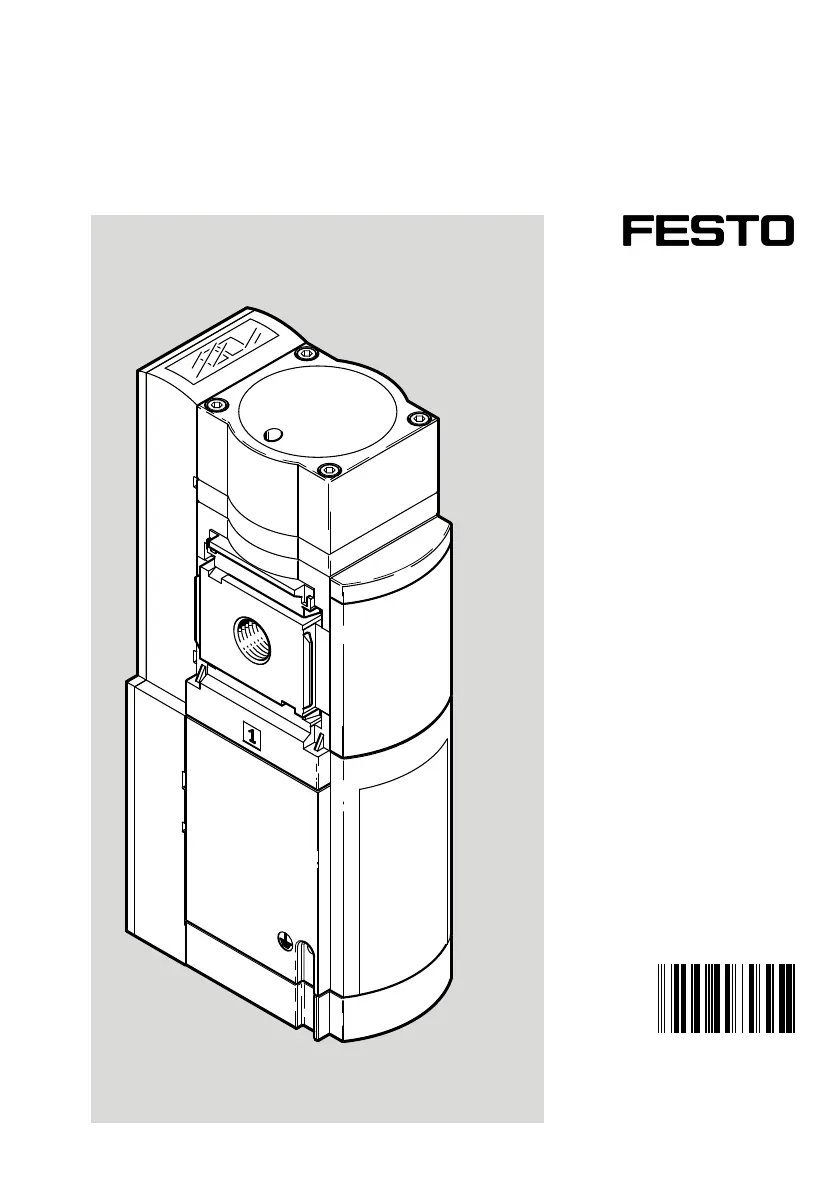
Festo MS6 SV E 10V24 Series - User Manual

Festo MS6 SV E 10V24 Series
38 pages
Print Icon
To Next Page IconTo Next Page
Loading...
8111049
MS6-SV-...-E-10V24
Soft start/quick exhaust valve
8111049
2019-10d
[8111051]
Instructions|
Assembly, Installation,
Safety func.

Other manuals for Festo MS6 SV E 10V24 Series

Questions and Answers

  • K
    Kenneth GalvanJul 28, 2025
    What to do if my Festo Control Unit shows error code 5?
    • U
      ubrownJul 28, 2025
      If your Festo Control Unit displays error code 5, this indicates that the power supply is insufficient, experiencing voltage drops, or is out of tolerance range. To resolve this, ensure that the power supply is adequate for the unit's requirements.
  • A
    Amy ConleyAug 1, 2025
    Why does my Festo Control Unit display error code 6?
    • W
      williambarnettAug 1, 2025
      If the Festo Control Unit shows error code 6, it means there's an issue with the pressure supply. This can be due to a few reasons: the pressure supply was interrupted, compressed air was interrupted during self-test, or the air supply on the secondary side is too high, causing pilot pressure drops. You should re-establish compressed air supply and check the compressed air supply, closing any actuators that might be blowing air or using a vacuum suction nozzle.
  • M
    martinezelizabethAug 5, 2025
    What does error code 2 mean on a Festo MS6 SV E 10V24 Control Unit?
    • K
      Kelly AguilarAug 5, 2025
      If your Festo Control Unit is showing error code 2, the cause is bouncing on the enable signals. To fix this, ensure that you are only using debounced contacts, such as those for protective guards or doors.
  • H
    hollypriceAug 9, 2025
    What causes error code 8 on a Festo Control Unit?
    • A
      Angela CochranAug 9, 2025
      If your Festo Control Unit displays error code 8, it could be due to enable signals being outside of the specified range or a defective multi-pin plug socket NECA or cable. Ensure you comply with the specifications. Check the multi-pin plug socket NECA or cable; if it's defective, replace it.
  • B
    Bryan TaylorAug 13, 2025
    What does it mean when my Festo Control Unit shows error code 8 or 11?
    • M
      Mason MillerAug 14, 2025
      Error codes 8 or 11 on your Festo Control Unit can appear if the PLC emits test pulses that are off-set to the enable signals, or due to malfunction caused by electrical or electromagnetic effects. To address this: switch off test pulses or use NECA MP5 plug connector. Also, comply with the maximum length of the signal lines, connect earthing correctly and observe minimum wall distance.
  • P
    Patricia LoveAug 18, 2025
    What to do if valve doesn't switch but LED is on in Festo MS6 SV E 10V24 Control Unit?
    • T
      Tammy WebbAug 18, 2025
      If the valve on your Festo Control Unit doesn't switch even when the green LED is lit, it means that the EN signal was set successfully, but the pulse from the additional start pushbutton was either not sent or was interrupted. Check the pushbutton and the lines connected to it.
  • H
    hkeithAug 22, 2025
    How to troubleshoot a valve that won't switch on a Festo Control Unit?
    • A
      Amy KerrAug 22, 2025
      If the valve on your Festo Control Unit isn't switching, it could be due to an insufficient pressure supply or a faulty bridge between contacts 5 and 6. Try tightening the flow control screw to increase the pressure supply. Additionally, check the bridge between contacts 5 and 6 to ensure it's properly connected.

Summary

Soft start;quick exhaust valve

Instructions Overview

Provides an overview of assembly, installation, and safety functions.

Applicable documents

Specified standards

Lists standards relevant to the product's design and safety compliance.

Safety

Safety Instructions

Guidelines for safe operation, handling, and maintenance of the product.

Intended Use

Defines the product's specific purpose and application in pneumatic systems.

Foreseeable Misuse

Outlines improper uses of the product to avoid potential hazards.

Training of qualified personnel

Specifies the necessary qualifications for personnel handling the product.

Additional information

Service

Information on obtaining technical support and regional contact details.

Product Overview

Product Design

Details the physical characteristics, components, and performance level of the product.

Function

Explains the operational principles and safety features of the valve.

Operating Modes

Describes automatic and monitored start/reset modes of operation.

Signal Transitions

Details signal behavior and timing for enable signals and output status.

Short Circuit Detection

Explains how the system detects and handles short circuits in enable signals.

Connection Examples

Illustrates wiring diagrams for different multi-pin plug sockets (MP1, MP3, MP5).

Signal Contact

Describes the function and connection of the signal contact output.

Switch-through Pressure;Filling Time

Details the pressure build-up characteristics and flow control adjustment.

Safety Function EN ISO 13849

Explains the product's safety compliance with ISO 13849 standards.

Assembly

PFHd Value

Presents the probability of hazardous failure per hour for the product.

Preparation and Requirements

Covers necessary steps and conditions before product installation.

Installation

Provides guidance on physically mounting and positioning the product.

Assembly with Service Unit Components

Instructions for integrating the valve with MS-series service units.

Pneumatic Installation

Details how to connect the pneumatic ports and lines.

Electrical Installation

Covers wiring, earthing, and power supply connections.

Multi-pin Plug Socket Connection

Specifics on connecting the NECA multi-pin plug sockets.

Commissioning

Inputs and Outputs

Defines the product's terminals, their allocation, and signal types.

Terminal Assignment

Tabular overview of terminal connections for the NECA plug socket.

Operation

Product Startup

Steps for applying pressure, switching power, and self-test procedures.

Pressurization Process

Details on how pressure is built up and the valve's main seat opens.

Maintenance

Maintenance Work

General guidelines for routine maintenance tasks.

Cleaning

Instructions on how to clean the product safely and effectively.

Diagnostics

Explains LED indicators for operational status and error codes.

Fault Clearance

Provides steps to identify and resolve common malfunctions and errors.

Disassembly

Disposal

Guidance on environmentally sound recycling and disposal of the product.

Technical Data

Mechanical Specifications

Lists mechanical properties, mounting, materials, and protection ratings.

Pneumatic Specifications

Details pneumatic connections, flow rates, and pressure parameters.

Electrical Specifications

Covers electrical connection, voltage, current, and switching times.

Safety Engineering Characteristics

Outlines safety performance levels, SIL, PFHd, and CCF measures.

Filling Flow

Graph showing flow rate dependency on flow control screw rotations.

Exhaust Time

Data on exhaust times under various operating conditions and fault cases.

Switching Characteristics

Diagrams showing input/output behavior with multi-pin plug sockets.

Runtime Performance

Specifies timing parameters for enable signals and product response.

Festo MS6 SV E 10V24 Series Specifications

General IconGeneral
BrandFesto
ModelMS6 SV E 10V24 Series
CategoryControl Unit
LanguageEnglish

Related product manuals