5 Operating the test bench
5.4 Selecting an operating mode, adjusting speed and torque, starting a measurement
Selection and adjustment
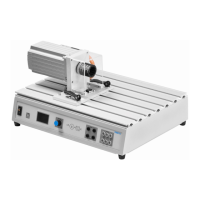
The rotary knob (see item 9 in section “Layout”) is used for selection and adjustment.
• Turn the knob the arrow is moved up or down one line.
• Press the knob your selection is acknowledged. As a result, either the next display appears or a
numeric value can be selected with the rotary knob.
Note
The numeric value for torque/speed can be quickly reset to zero by pressing the rotary knob twice
is quick succession.
1 2
Speed Con
PC
> 0.8 Nm
Speed:
0 000 rpm
Speed Con
PC
> 0 000 rpm
Torque:
0.0 Nm
3 4
Speed Con
PC
Controller
Inactive
Controller
Active
Overview of displays which appear at the test bench
© Festo Didactic GmbH & Co. KG 757309 35





 To Next Page