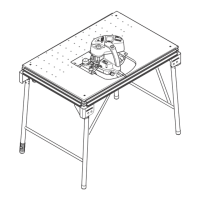
6.1 Setting up the TKS 80 EBS
WARNING
Unauthorised voltage or frequency
Risk of accidents
► The mains voltage and the frequency of the
power source must correspond to the
specifications on the name plate.
► Before each use of the power tool, check
the power cable and the mains plug. Any
damage must only be rectified by a special
ist workshop.
► For use outdoors, only use the approved
extension cable and cable connections.
WARNING
Power tool tips over on uneven ground
Risk of accidents
► Ensure that the power tool is securely
positioned.
The floor must be level, with a max. gradi
ent of 10°, and free of loose objects (e.g.
chips and offcuts).
Foldaway legs
CAUTION
Crushing injuries to hands or fingers when
folding the foldaway legs in or out
► Wear protective gloves.
► Open the rotary knobs for the foldaway
legs [1-12] as far as they will go.
► Fold the foldaway legs [1-17] out or in.
► Screw in the rotary knobs for the foldaway
legs [1-12] tight.
If the TKS 80 EBS wobbles, the length of a leg
can be adjusted by turning the end cap [1-18]
until the machine stands securely.
Removable legs
WARNING
Risk of accidents due to tilting power tool
► Always use the removable legs
*
together
with an extension table
*
or a sliding table
*
.
* Not included in the scope of delivery.
6.2 Prior to commissioning
► Remove all packaging material, including
packaging material underneath the table.
► Pull out the shipping protection [1-21].
► Remove the safety sticker [1-8].
► Remove the pre-installed spacer wedge for
grooving [1-4] (see section
9.8 ) and store it
in the accessory holder [1-1].
► If necessary, replace the pre-installed uni
versal saw blade with a saw blade for the
material to be sawed (see section
9.11 ).
► Fit the spacer wedge with guard (see sec
tion 9.8 ).
► Fit the preset profile setting rail (see sec
tion 9.5 ).
6.3 Switching on/off
WARNING
The SawStop technology only works with a
protective earth connection and an earthed
power source
Risk of injury
► Make sure that power is not supplied via
the SYS PowerStation or a transformer, for
example.
NOTICE
SawStop technology is triggered
► Only switch on the TKS 80 EBS if the saw
blade is not in contact with the workpiece,
accessories or other objects.
► Only use accessories intended for
the TKS 80 EBS.
Switching on
► To switch on the machine, press the green
main switch [2-1].
The green LED [2-4] lights up constantly.
The red LED [2-5] flashes slowly.
The TKS 80 EBS is carrying out a self-check.
► Wait until the status of the LEDs changes.
The green LED [2-4] lights up constantly.
The red LED [2-5] is not lit.
The TKS 80 EBS is in standby mode.
► Press the green START button [2-3]
The TKS 80 EBS is operational. The SawStop
technology is activated.
Switching off
► To switch off sawing mode, press the red
STOP button [2-2].
The green LED [2-4] flashes rapidly.
The red LED [2-5] is not lit.
► Wait until the saw blade has come to a stop.
English
31



 To Next Page