7 P215 REV000 February 2023
Inputs
Program Items
Programming Range Notes
LEFT RIGHT (green=on;red=off)
LEFT RIGHT (green=on;red=off)
Filled/Not Filled & signal
Green=Filled/Red=Not Filled
Actual temperature & signal
Service
Program Items
Programming Range Notes
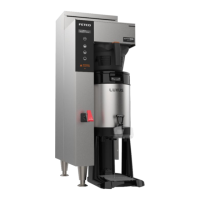
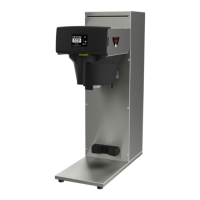
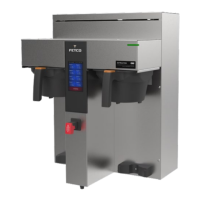
Select Model Set brewer model CBS-2232
(single side)
(dual side)
223x
224x
225x
To select: touch icon for brewer, touch
“BACK” and got to EXIT & SAVE
Enable Options
Electric HW faucet OFF ON
Bypass Valve(s) OFF ON
Brew Basket Lock(s) OFF ON
Expansion Board OFF ON
Overrides
Left Right
Brew Basket Sensor OFFON OFFON
Brew Basket Lock OFFON OFFON
Br. Basket Lock SensorOFFON OFFON
HW Press and hold OFFON OFFON
Backup or Restore
Backup current
configuration
Will save all
programmed settings
Requires USB thumb drive
Insert USB thumb drive and touch
“BACKUP” & follow instructions
Backup or Restore
USB thumb drive
with one file-
One file, must be titled:
backup.txt
Insert USB thumb drive and touch
“RESTORE” & follow instructions
HW/SW/BL Version
UI 0.2.221011a
IO 0.3.20221119a
Bootloader UI
Bootloader IO
Compilation Time
UI Oct 11 2022 13:28:09
IO Nov 29 2022 15:12: 20
Hardware
Main Board rev
Restore Defaults Return factory sets
Will overwrite all settings Touch and hold icon 5 seconds
Error Codes
Error Code
Code & definition Date/time stamp
Export Log To USB
Follow prompts to export
Error Statistics
Error code frequency
Error Statistics
Reset Passcodes Overrides default
Follow prompts to change
Service Code
Languages
Reserved for future use


 To Next Page