4
BASIC ACTIVATION
#2: Basic activation
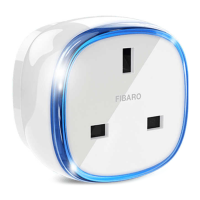
1. Plug the device into a socket nearby the main Z-Wave controller.
2. Set the main controller in (Security/non-Security Mode) add mode
(see the controller’s manual).
3. Quickly, triple click the button located on the casing.
4. Wait for the device to be added to the system.
5. Successful adding will be conrmed by the controller.
6. Plug a device you want to control into the Wall Plug.
7. Test the device by turning it on and o using the button.
NOTE
When powered, the
device will indicate
Z-Wave status with
colour of LED frame:
• Green - the device is
already added to the
Z-Wave network.
• Red - the device is
not added to any
Z-Wave network.
i
Button


 To Next Page