14
ADVANCED PARAMETERS
#10: Advanced parameters
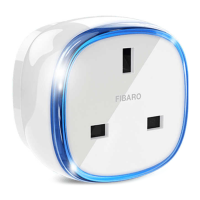
The Wall Plug allows to customize its operation to user’s needs. The
settings are available in the FIBARO interface as simple options that
may be chosen by selecting the appropriate box.
In order to congure the Wall Plug (using the FIBARO Home Center
controller):
1. Go to the device options by clicking the icon:
2. Select the „Advanced” tab.
3. Modify values of chosen parameters.
4. Save the changes.
GENERAL SETTINGS
2. Remember device status before the power failure
This parameter determines how the Wall Plug will react in the event
of power supply failure (e.g. power outage or taking out from the
electrical outlet).
After the power supply is back on, the Wall Plug can be restored to
previous state or remain switched o.
Available settings: 0 - device remains switched o
1 - device restores the state from before the
power failure
Default setting: 1 Parameter size: 1 [byte]
3.
Overload safety switch
This function allows to turn o the controlled device in case of ex-
ceeding the dened power.
Controlled device can be turned back on via button or sending a con-
trol frame. By default this function is inactive.
Available settings: 0 - function inactive
10-18000 (1.0-1800.0W, step 0.1W) - power
threshold
Default setting: 0 Parameter size: 2 [bytes]
POWER AND ENERGY MEASUREMENT
The default values of the parameters suit most types of devices. They
were selected to show in real time the instantaneous power values,
while not overloading the Z-Wave network in the process. In specic
cases it may be necessary to modify default settings in order to op-
timize Z-Wave network’s use. In extreme cases it is recommended to
turn o reporting completely and congure power polling or period-
NOTE
Entering invalid value
of parameter will re-
sult in not setting the
value and response
with Application Re-
jected or Supervision
CC frame and (de-
pending on the con-
troller).
i


 To Next Page