15 INCH MULTIMEDIA DIGITAL PICTURE FRAME
13
Playing a slideshow with music
Ensure you have at least one picture on your memory card/USB flash drive or
internal memory. Additionally, you must have one MP3 file saved on the
selected memory card/USB/Internal Memory. When this is done:
• Choose the “COMBO” option from the main menu.
• Select the desired flash media. (SD/xD/CF/MS/USB/Internal Memory)
• A list of available pictures will be displayed. Use the up and down
arrows to highlight your required file and press “Enter” to continue
• The slideshow will start while playing the first available song on the
media
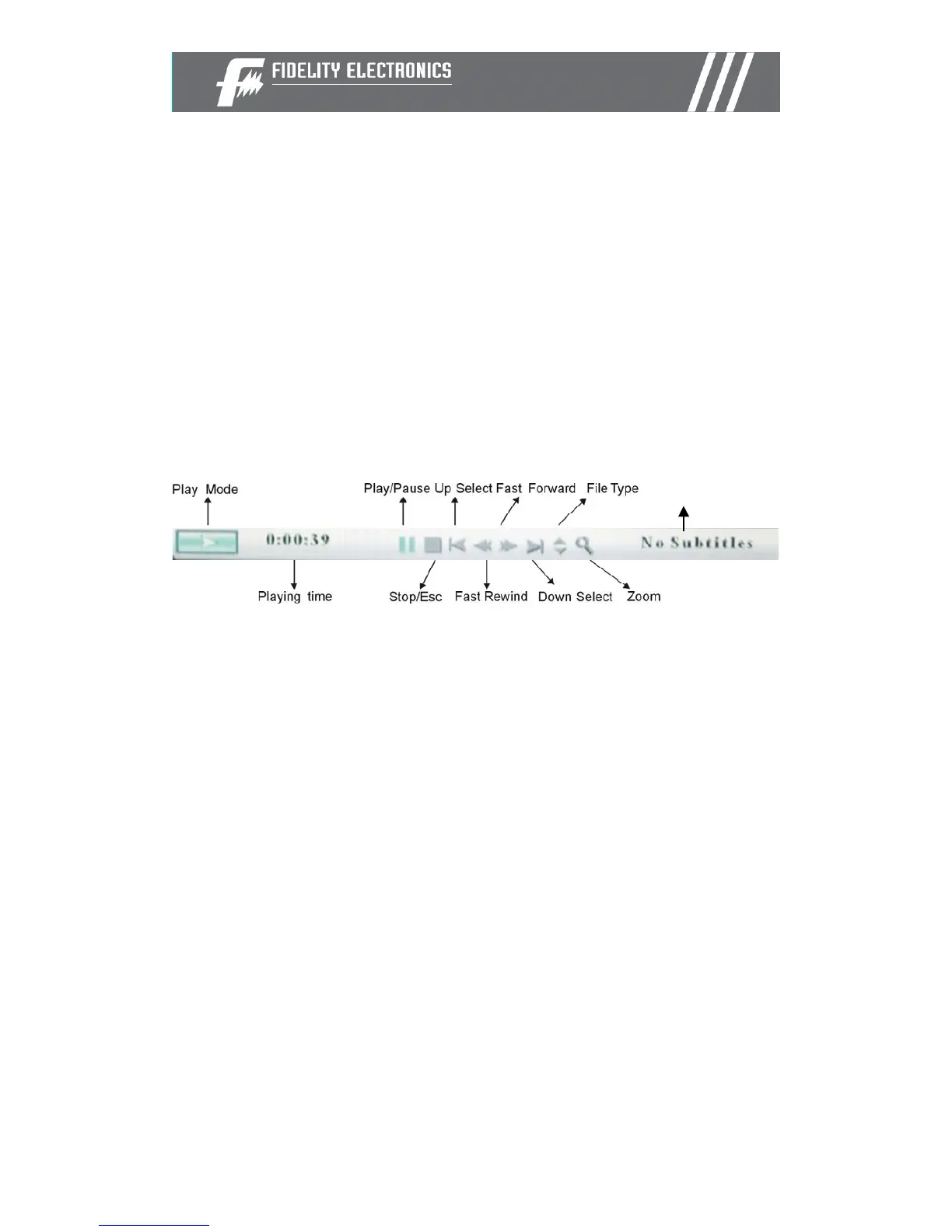
Once audio-slideshow has started, press the ENTER button on the remote
control. The following menu will appear:
Repeat
Use the arrow buttons to select the required function


 To Next Page