15 INCH MULTIMEDIA DIGITAL PICTURE FRAME
16
Using the SETUP option
The following options can be changed by using the “SETUP” option from the
main menu:
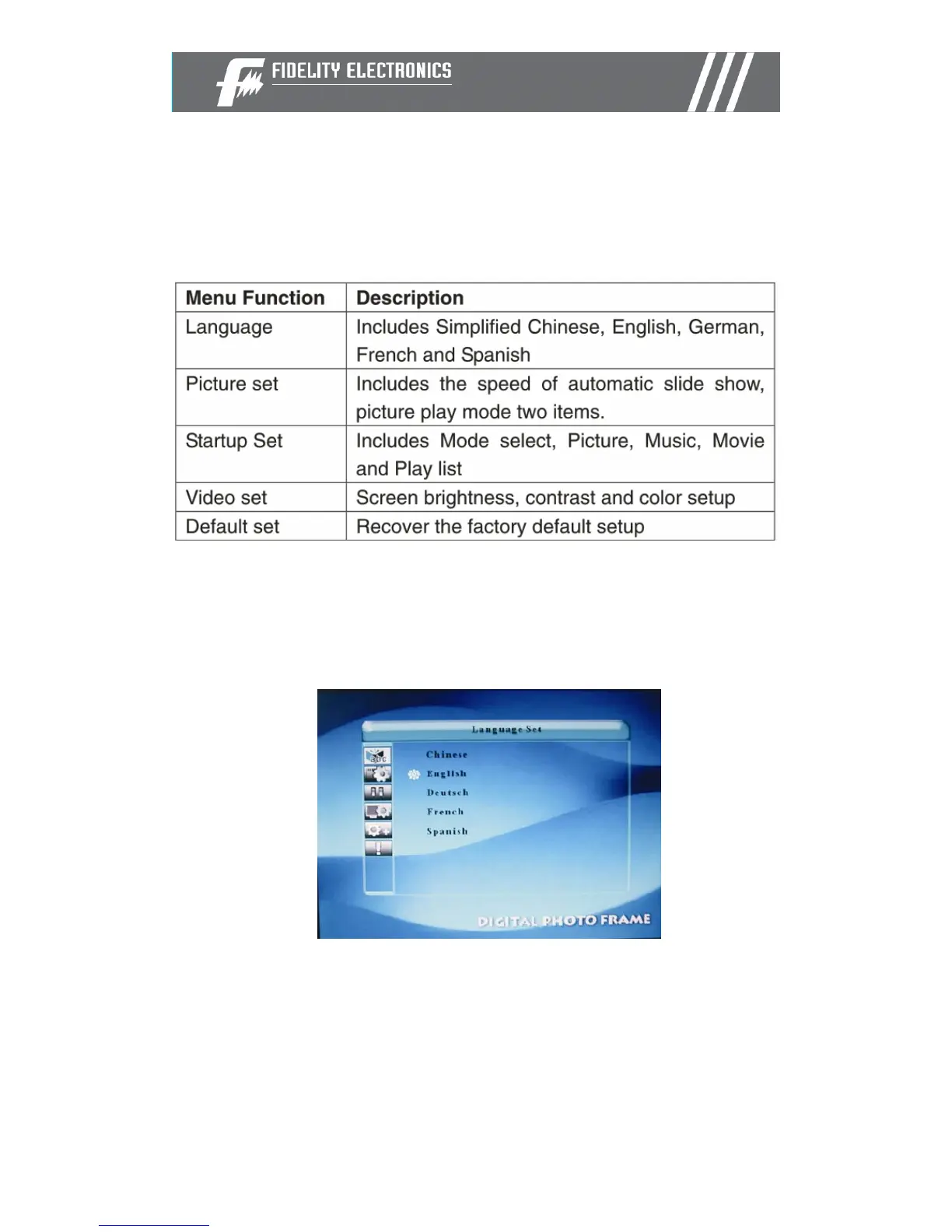
Language setup
You can change the default language used by the menu as follows:
• Choose the “SETUP” option from the main menu.
• Choose the “ABC” option.
• Use the up and down arrows to select your preferred language


 To Next Page