1
1-48 Installing User Software on a Windows Computer
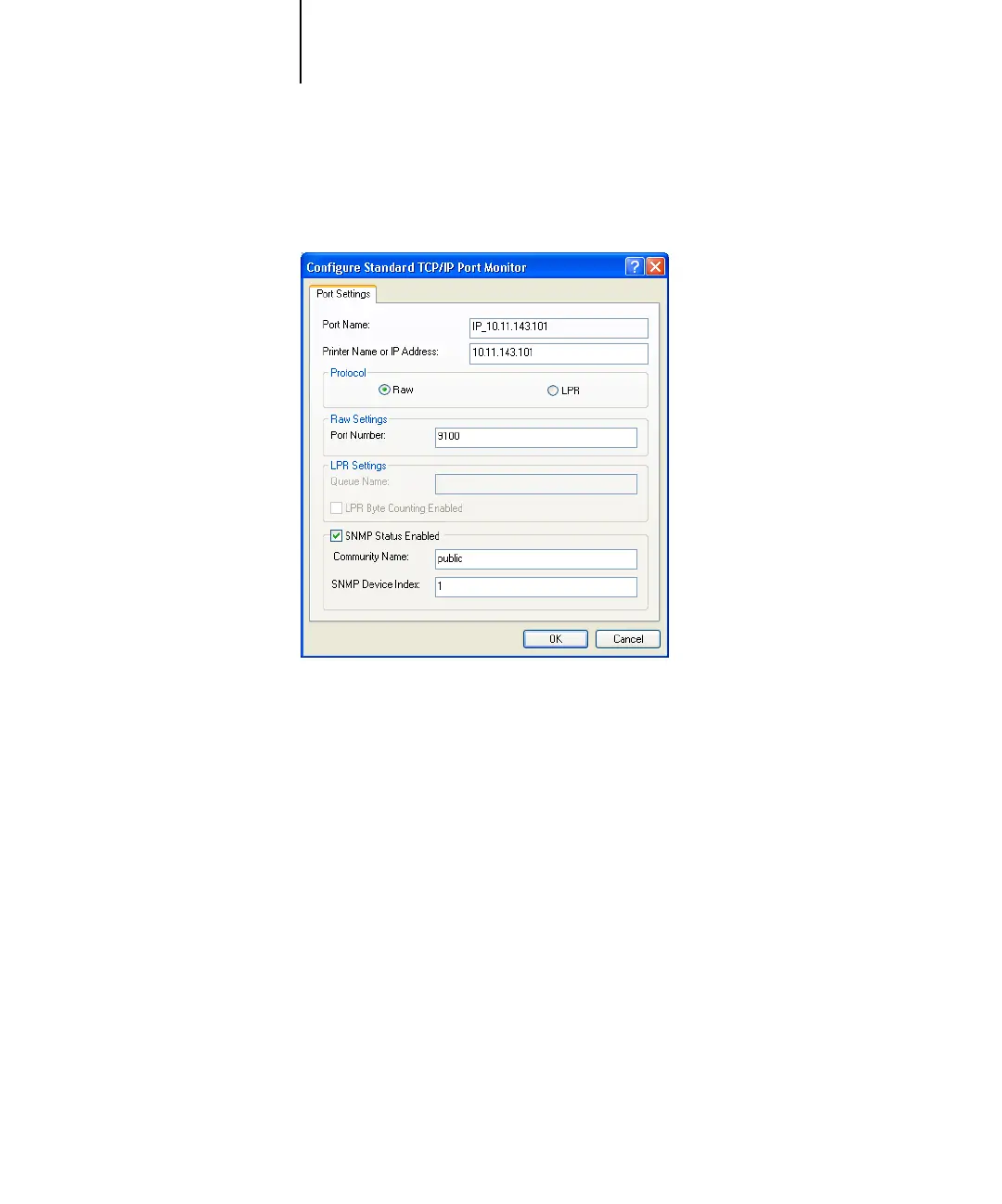
9. Click Configure Port in the Ports tab of the Properties dialog box.
The configure Standard TCP/IP Port Monitor dialog box appears.
10. If you have LPD printing enabled at the Fiery X3e Control Panel, select LPR for
Protocol and LPR Byte Counting Enabled under LPR Settings.
N
OTE: You can also proceed without selecting LPR Byte Counting Enabled under
LPR settings.



 To Next Page