30
3. Functionalities corresponding to “All songs” interface
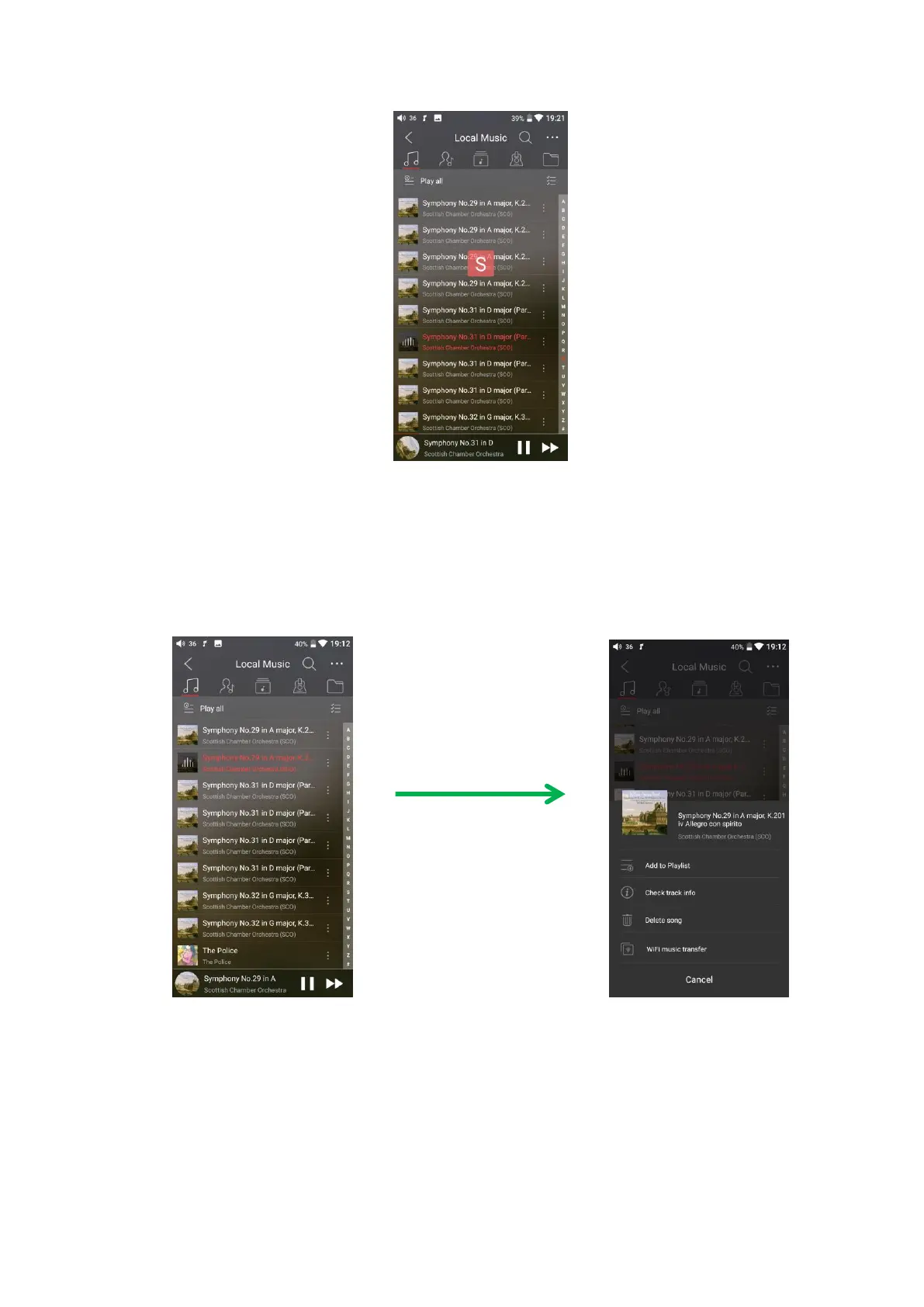
Tap the icon (┆) at the right side of each track to show the hidden menu. Then tap
the icons in that menu to execute corresponding operation.
Tap the hidden icon at the upper right corner of “Local music” interface, the
following functions can be performed.
Selected sort order: sort by added time, sort by first letter, sort by filename.



 To Next Page