6
●Setting interface
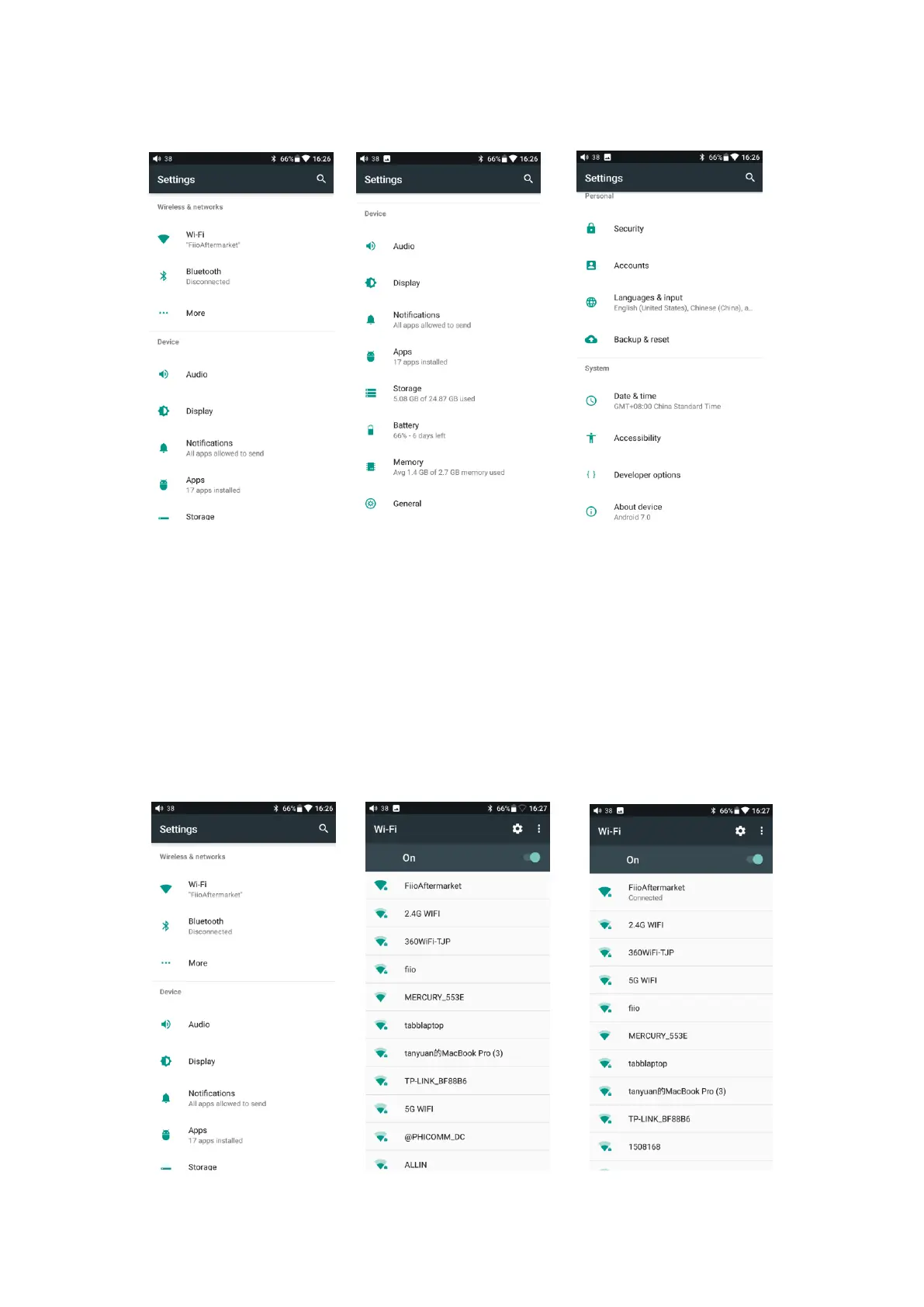
1. WiFi
The M11 may connect to the Internet or other network resources to obtain music
resources or perform other Android functions;
To connect the M11 to WiFi devices / hotspots:
1) Tap the WLAN in setting as shown in the picture below;
2) Slide the WiFi switch to the right (ON) and the M11 will automatically search for
and display available WiFi connections;
3) Tap the name of the WiFi network you wish to connect to and enter the password if
prompted, and the M11 will connect to the network.



 To Next Page