32
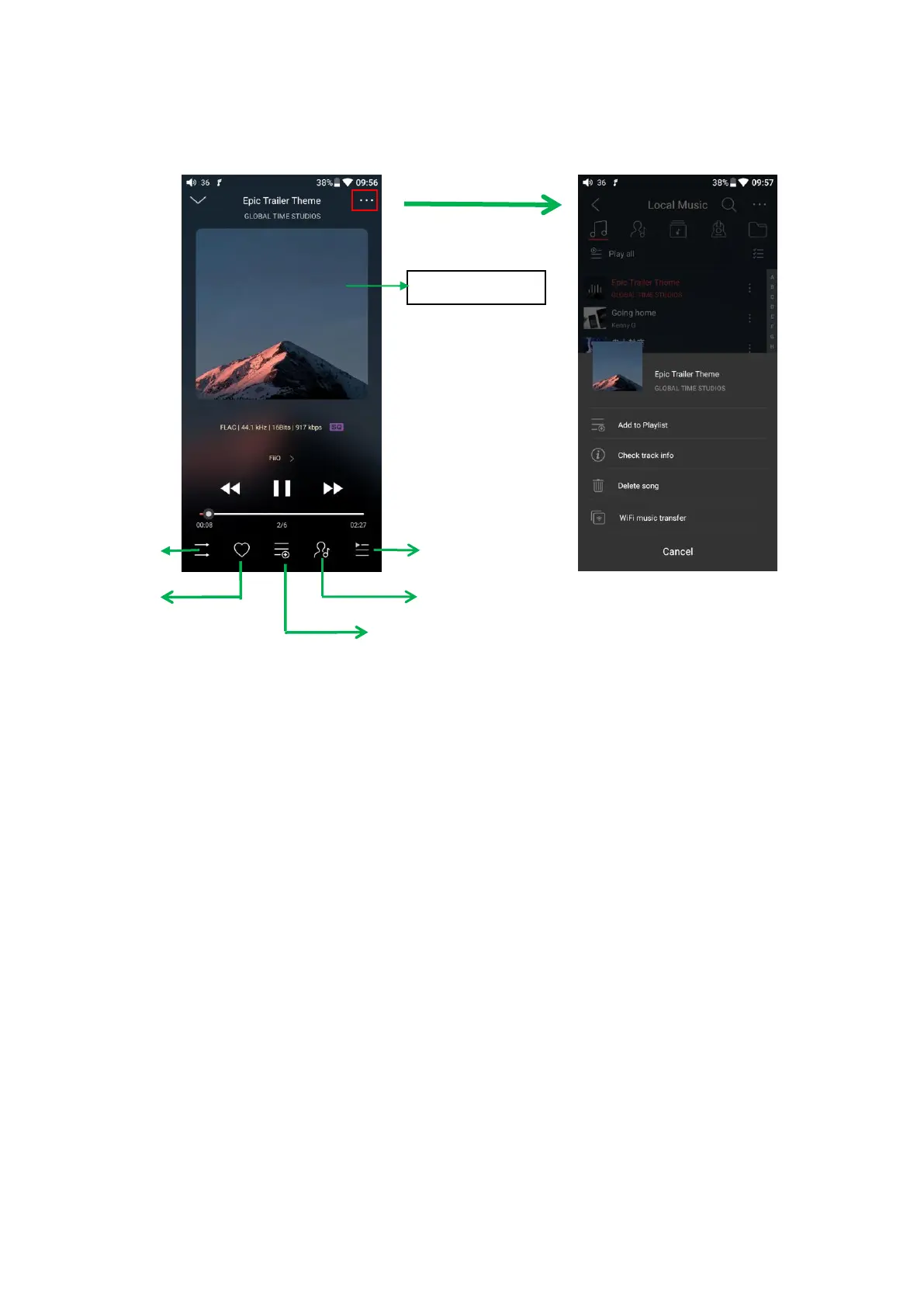
4. Now Playing interface
Switching area: clicking on the center area of album cover enables you to switch
between album cover and lyrics; sliding to the left or right enables you to play the next
or previous track.
Adjusting the volume: after scrolling the volume wheel, the volume adjustment
bar will appear at the right side of touchscreen. This volume adjustment floating
window will disappear if there is no operation in two seconds or if to tap on the non-
volume bar area of the playback interface.
Slide to fast forward/rewind: tap anywhere on the progress bar below the album
cover area to jump to the corresponding part of the track now playing;
Note: While in the lyrics display page, you can adjust the playback progress by sliding over the
lyrics, adjust lyrics timeline or adjust font size.
Check current artist info



 To Next Page