EasyManua.ls Logo

Fike Quadnet - General Operation of the Repeater Panel; Repeater Panel Front Overview; Normal Operation State (Access Level 1)

Fike Quadnet
24 pages
Print Icon
To Next Page IconTo Next Page
To Previous Page IconTo Previous Page
Loading...
Quadnet / Duonet Repeater Panel User Guide
7
General Operation
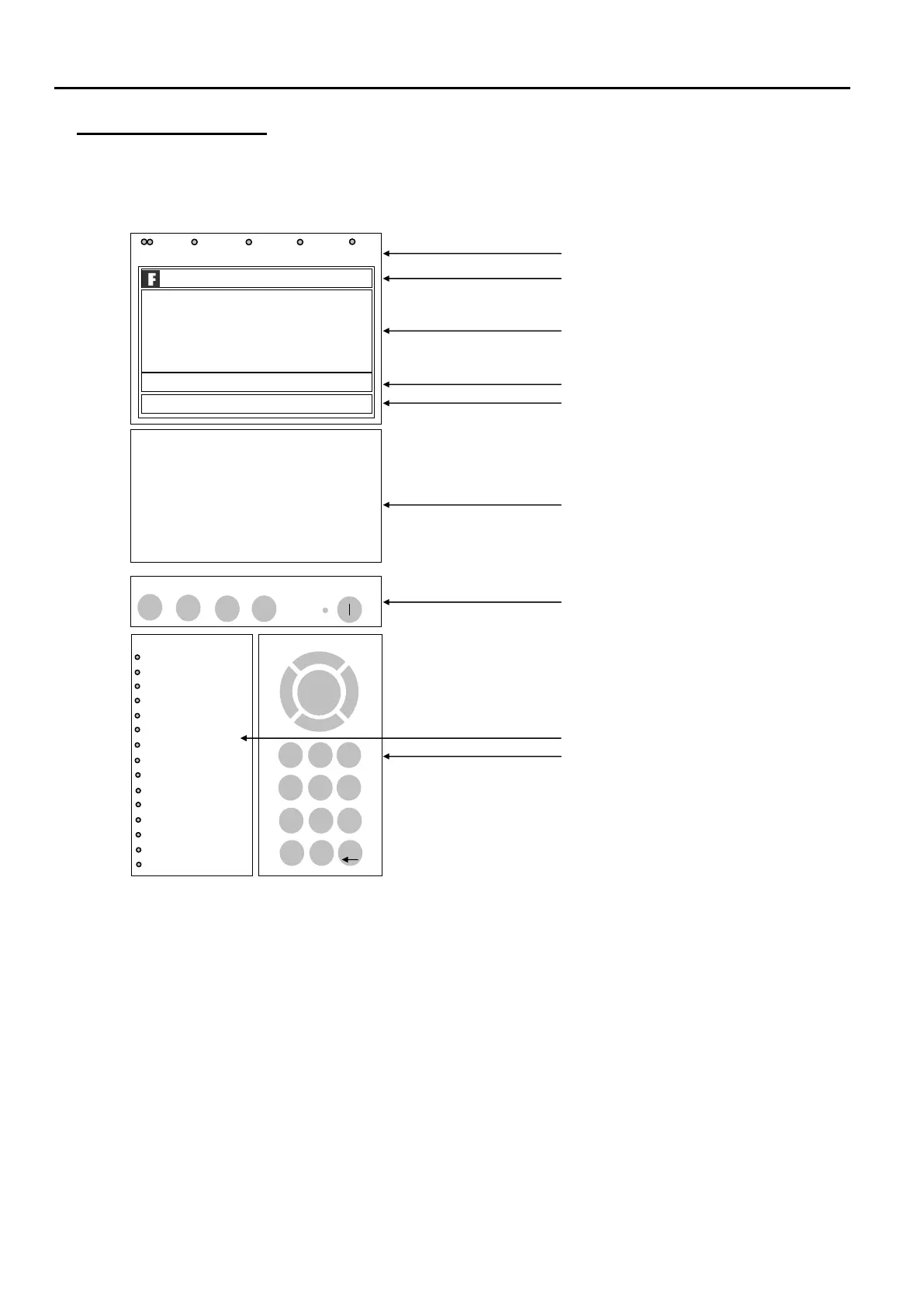
Repeater Panel Front
Normal: Controls Enabled LED off
At Access Level 1 (Normal), the main Fire Alarm Controls are disabled and the Controls Enabled
LED is switched off see Fire Alarm Controls.
fire fault disabled test power
TURN KEY OR ENTER CODE FOR CONTROLS
DUONET
REPEATER
V3.00 Panel 01: PANEL 01
23/05/11 23:01 NORM
fire alarm controls turn key to enable controls enable
controls
system indication
system fault
.
reset
system
sound
alarms
silence
buzzer
ENTER
>
<
/\
1 2 3
4 5 6
7 8 9
*
0 #
0_0 ABC DEF
GHI JKL MNO
PQRS T UV WXYZ
_
system controls
ESC
General Indication LEDs
Repeater Panel Information Window
Active Information Window
Prompt Window
Network Information Window
Zonal Indication LEDs
(not used on Repeater Panels prior to V3)
Fire Alarm Controls
System Indication LEDs
System Controls

1
2
3
4
5
6
7
8
9
10
11
12
13
14
15
16
17
18
19
20
21
22
23
24
25
26
27
28
29
30
31
32
33
34
35
36
37
38
39
40
41
42
43
44
45
46
47
48
49
50
51
52
53
54
55
56
57
58
59
60
61
62
63
64
65
66
67
68
69
70
71
72
73
74
75
76
77
78
79
80
81
82
83
84
85
86
87
88
89
90
91
92
93
94
95
96
97
98
99
100
101
102
103
104
105
106
107
108
109
110
111
112
113
114
115
116
117
118
119
120
121
122
123
124
125
126
127
128
zones
>
power fault
earth fault
loop
sounder
fire output
zone
fault output
day
routine service
tech alarm
confirmation
lt
system fault
system fault
delay
alarms
buzzer silenced

Other manuals for Fike Quadnet

Related product manuals