Operating the FT-100/CI and FT-170/CI 3-3
Document 40275-0913
3.2 Starting the FT-100/CI or FT-170/CI
3.2.1 Steps
Complete these steps to start the FT-100/CI or FT-170/CI.
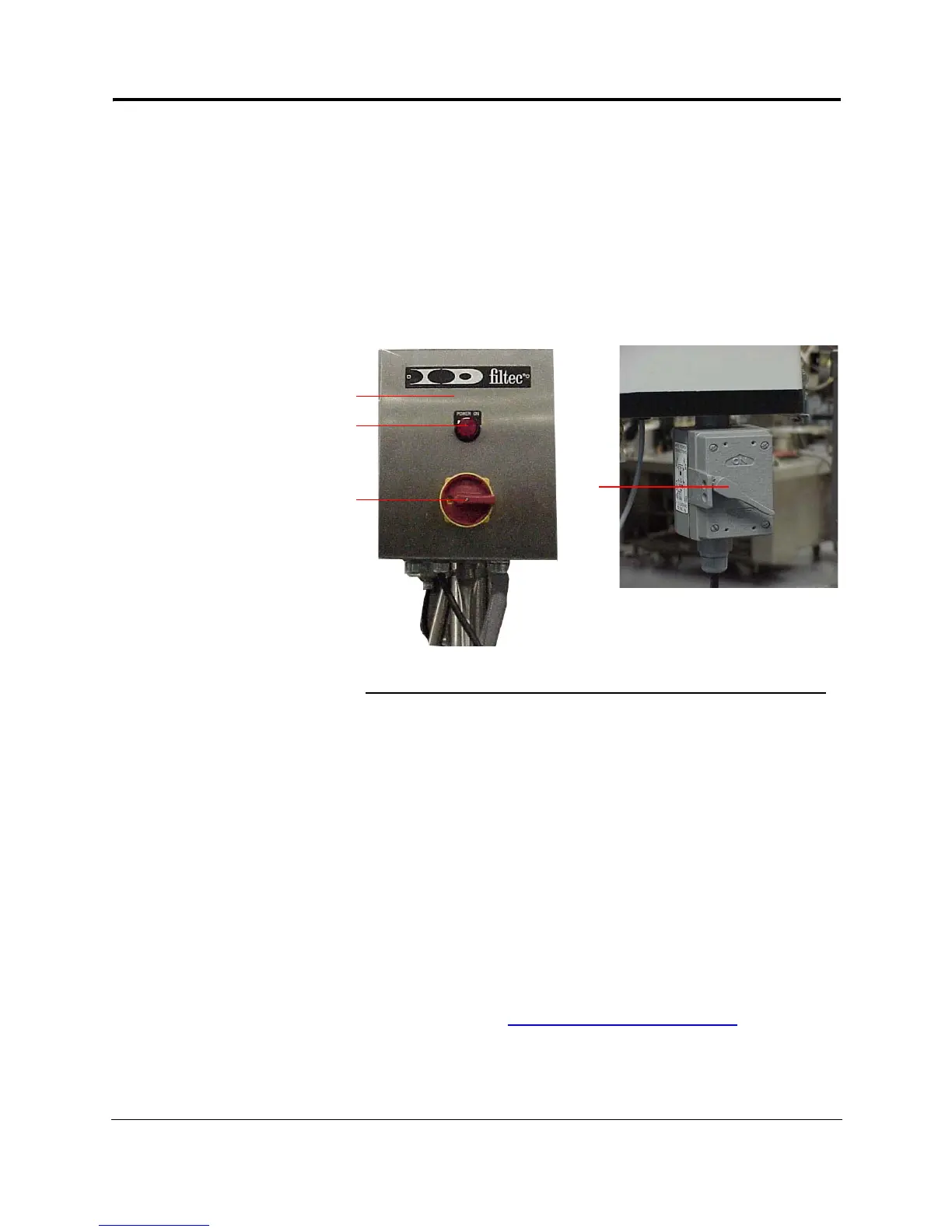
1. Turn on the main power switch
Result: The FT-100/CI or FT-170/CI begins its power up
sequence. The signal beacon flashes briefly and then turns
off.
Figure 3-1. Locating the Main Power Switch
2. When the power up sequence is complete, press any key to
display the MASTER MENU.
You are now ready to clear the current counters. For more
information, see Clearing the Current Counters
.
No. Description
1 I/O junction box.
If your FT-100/CI or FT-170/CI is equipped with an I/O junction
box, the main power switch is located on the front of this box.
2 Power on light
3Main power switch
4 Main power switch, which is usually located under the operation
station (if your FT-100/CI or FT-170/CI does not have an I/O
junction box)
1
2
3
4



 To Next Page