EasyManua.ls Logo

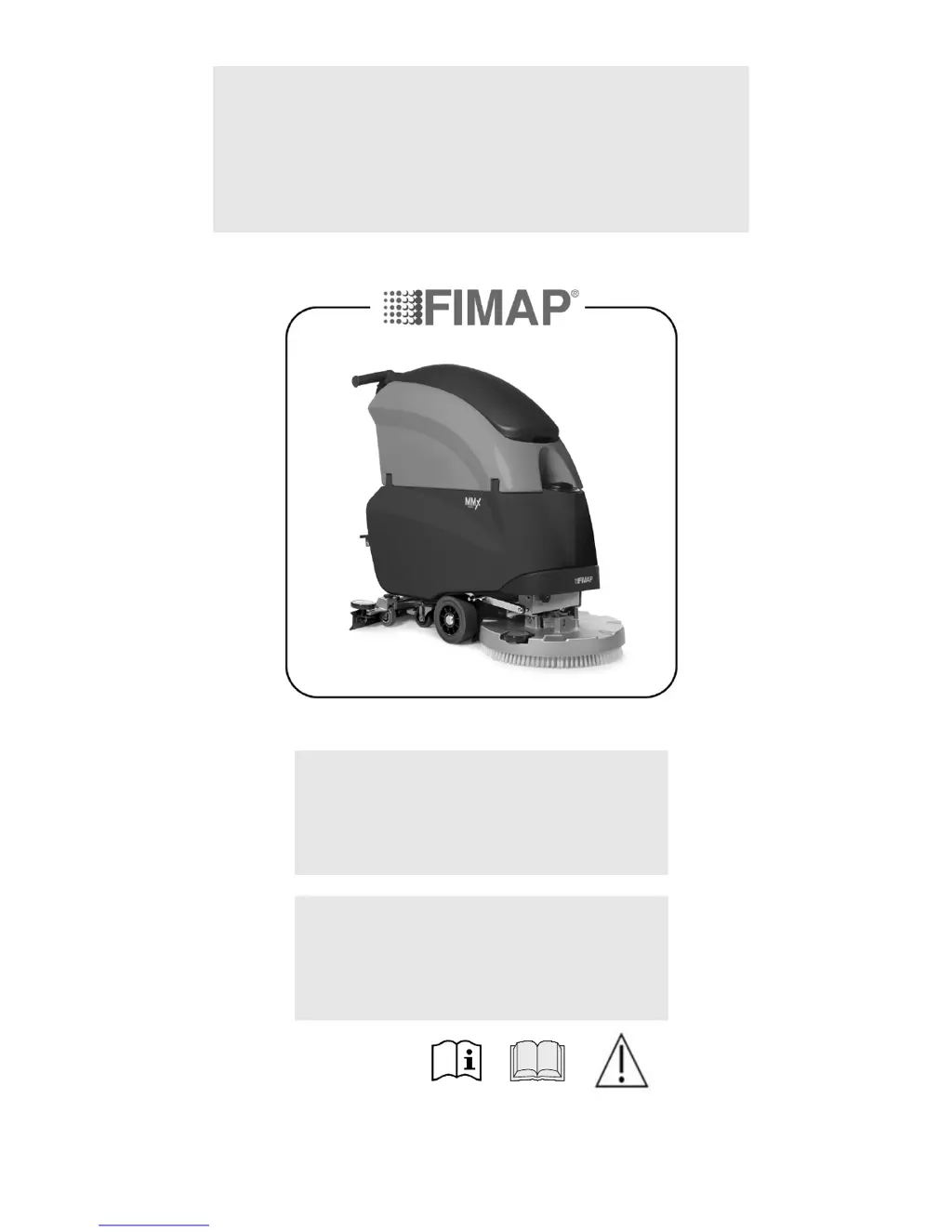
Fimap MMx 52BT - User Manual

Default Icon
44 pages
Print Icon
To Next Page IconTo Next Page
Loading...
USE AND MAINTENANCE MANUAL
MMX B-BT 2014
ED. 08-2014 EN
TRANSLATION OF
THE ORIGINAL
INSTRUCTIONS
Doc. 10016247
Ver. AE

Table of Contents

Questions and Answers

  • M
    millermicheleAug 15, 2025
    What to do if there is insufficient water on the brushes of my Fimap Scrubber?
    • E
      Eric OwensAug 15, 2025
      To address insufficient water on the brushes of your Fimap Scrubber, ensure the solution tank has water, which can be checked using the level indicator on the left rear of the device. Verify that the detergent solution tap is open by ensuring the lever on the rear of the appliance is fully rotated to the left (work direction). Also, confirm that the detergent solution tap on the brush head unit is in the active dosing system position, with the lever fully set to a vertical position. For FSS versions, ensure the water and detergent flow in the water system are not set to zero by turning the knobs to the right while the appliance is on. Finally, clean the solution tank filter on the rear of the appliance.
  • E
    Evan GarzaAug 18, 2025
    Why is the squeegee on my Fimap Scrubber not drying perfectly?
    • M
      moorehannahAug 18, 2025
      If your Fimap Scrubber's squeegee isn't drying perfectly, start by ensuring the squeegee is clean. Check and adjust the squeegee settings as needed. Clean the entire vacuum unit, including the vacuum hose and vacuum motor filter float. If the rubber blades are worn, replace them. Make sure the cap on the recovery tank drainage hose is properly closed and that the suction cover is correctly positioned.
  • M
    moniquegilbertAug 21, 2025
    What to do if my Fimap Scrubber does not clean correctly?
    • K
      Kenneth WhiteAug 21, 2025
      If your Fimap Scrubber isn't cleaning correctly, first ensure the appliance switches on correctly. Next, verify that the detergent solution is being supplied to the brushes adequately. Make sure the amount of detergent solution (for versions without FSS) or the amount of water and detergent (for versions with FSS) in the appliance's water system is appropriate for the task. Also, confirm that the brushes fitted on the appliance are suitable for the task and check their wear; replace them if the bristles are about 15mm long.
  • J
    Jason MejiaAug 25, 2025
    How to fix a Fimap Scrubber that does not switch on?
    • A
      Allison RossAug 25, 2025
      If your Fimap Scrubber is not switching on, check that the main switch is in the 'I' position; if not, turn the key a quarter turn to the right. Ensure no alarm message appears on the control display when starting the machine. Verify the battery is connected to the general system connector; if not, connect them. Finally, check the battery charge level on the control display and, if critical, perform a full charge cycle.
  • N
    nataliehendersonAug 28, 2025
    What to do if the vacuum motor does not function on my Fimap Scrubber?
    • E
      Edward CostaAug 28, 2025
      To address a vacuum motor that isn't functioning on your Fimap Scrubber, check if the recovery tank is full and empty it if necessary. Also, verify the proper functioning of the float inside the recovery tank.
  • S
    Shannon GreenAug 31, 2025
    Why is my Fimap Scrubber producing excessive foam?
    • W
      warrennatashaAug 31, 2025
      If your Fimap Scrubber is producing excessive foam in the recovery tank, check that a low-foam detergent is being used. If needed, add a small amount of antifoam liquid to the recovery tank. Remember that less dirty floors generate more foam, so the detergent solution should be more diluted in those cases.
  • D
    David ShawSep 3, 2025
    What to do if the batteries are not charged correctly on my Fimap Scrubber?
    • C
      Clinton WestSep 4, 2025
      If the batteries of your Fimap Scrubber are not charging correctly, first check that the battery is connected to the general system connector; connect them if they are not. Verify that the battery charger is suitable for the batteries and correctly set up for the type of batteries used. Finally, refer to the battery charger's manual to understand the meaning of any flashing signals during recharge.
  • A
    Angel SmithSep 7, 2025
    What to do if my Fimap Scrubber does not move?
    • M
      Mia CoxSep 7, 2025
      If your Fimap Scrubber does not move, ensure the appliance is switched on correctly. Check that the dead man's microswitches are active by actioning the dead man's levers below the handlebar control. In traction versions, verify that the forward speed adjustment knob is not set to the minimum.
  • R
    Randall ContrerasSep 12, 2025
    Why does my Fimap Scrubber have a very low operating autonomy?
    • M
      Matthew WoodsSep 12, 2025
      If your Fimap Scrubber has very low operating autonomy, check that there is water in the solution tank, using the level indicator on the left rear of the device. Also, check the battery charge level on the control display and, if the charge level is critical, go through a full charge cycle.

Summary

General Safety Regulations

Technical Data

Preparation of the Appliance

Component Positioning

Identification and location of key control panel components and machine parts.

Appliance Safety

Essential steps to ensure the machine is in a safe condition before performing operations.

Battery System Setup

Covers battery types, maintenance, disposal, and insertion procedures for the appliance.

Battery Charger Connection

Detailed instructions for connecting the battery charger, for systems with and without CB.

Forward Movement at Work Speed

Instructions for controlling the appliance's forward movement speed, specific to BT versions.

Preparing to Work

Preparing to Work

Checklist of essential operations before starting to use the appliance.

Work Procedures

Starting Work

Steps to initiate operation, including pre-work checks and engaging machine functions.

Detergent Adjustment

How to regulate detergent solution on the brushes for versions with and without FSS.

Daily Maintenance

Weekly Maintenance

Extraordinary Maintenance

Troubleshooting

Alarm Message on Control Display

Action to take when a warning message appears on the control display.

Appliance Not Switching On

Checks to perform if the appliance fails to start, including main switch and battery connection.

Batteries Not Charged Correctly

Troubleshooting steps for incorrect battery charging, checking connections and charger suitability.

Low Operating Autonomy

Diagnosing and resolving issues with the device having very low operating autonomy.

Appliance Does Not Move

Checks for issues preventing the appliance from moving, including speed adjustment.

Insufficient Water on Brushes

Troubleshooting steps for insufficient water supply to the brushes.

Device Does Not Clean Correctly

Steps to resolve incorrect cleaning performance, checking detergent and brush suitability.

Squeegee Does Not Dry Perfectly

Troubleshooting for a squeegee that does not dry the floor perfectly, checking cleanliness and adjustments.

Vacuum Motor Not Functioning

Steps to take if the vacuum motor does not function, checking the recovery tank and float.

Fimap MMx 52BT Specifications

General IconGeneral
ModelMMx 52BT
Working Width520 mm
Power SupplyBattery
Cleaning SpeedUp to 4.5 km/h
Water Tank Capacity60 L
Brush TypeDisc
Recovery Tank Capacity70 L
Power Supply Voltage24 V
TractionAutomatic
TypeWalk-Behind Scrubber

Related product manuals