25
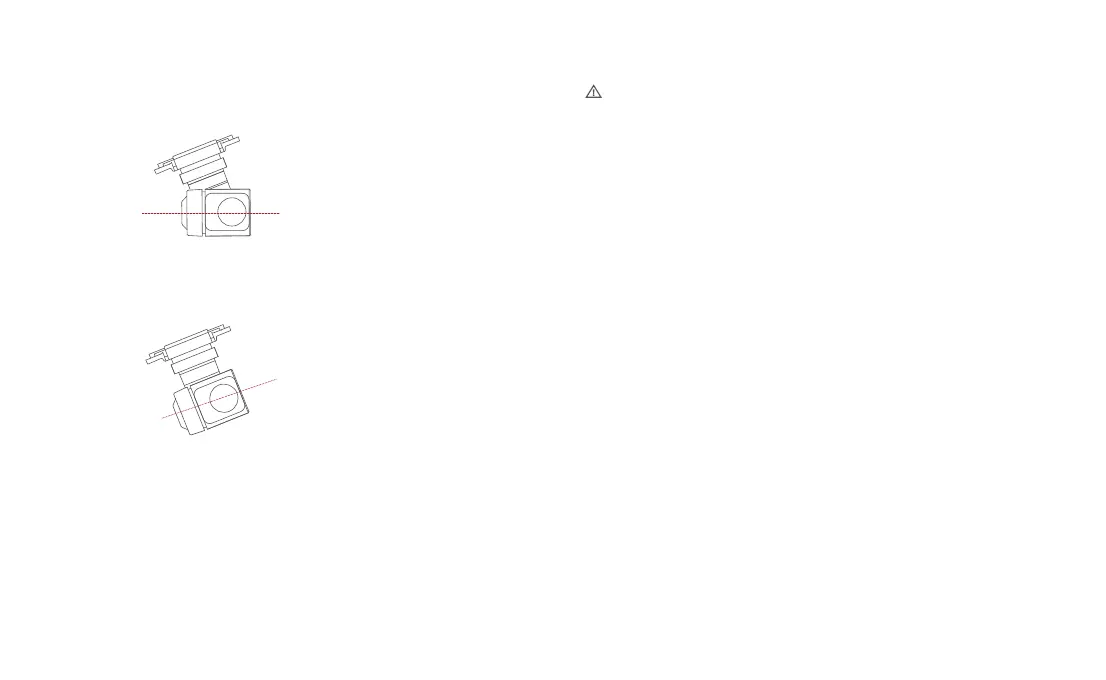
FPV Mode:
The roll axis rotates with the drone to provide
a first person view
Horizon
Parallel
Follow Mode:
The roll axis does not move with the drone
and always keep the gimbal horizontally,
which suits for shooting stable videos
Operating Mode
• Before takeoff, please ensure that the drone is placed on a flat and open ground. Avoid
colliding with the gimbal after powering on the drone.
• The gimbal contains delicate parts, and any impact or foreign object interference can result
in damage and a decrease in gimbal performance or render it unusable. Please handle
the camera head with care to avoid physical damage.
• Keep the camera head clean and avoid contact with sand, magnetic materials, or other
foreign objects that may block or affect its performance.
• In the case of the camera placed on potholes or grass, or when the gimbal experiences
excessive external forces (such as bumps or jams) from ground objects, the gimbal motor
may enter a protected state.
• Do not attach additional objects to the camera head, as this can affect its performance and
potentially damage the motor.
• Before turning on the camera, remove the protective cover. During storage or transportation,
use the storage cover to protect the camera head.
• To clean the lens surface from dirt or dust, it is recommended to use professional lens
cleaning tools to avoid damage and maintain image quality.
• Avoid inserting or removing the SD card while the drone is powered on, as it may damage
the card and result in data loss.
• To ensure camera system stability, limit the duration of a single recording session to 5
minutes or less.
• Before shooting, double-check the camera's relevant parameter settings to ensure they
are correct.
• When using this device to capture important footage, it is recommended to perform several
test shots before the actual recording to ensure that the device is in normal working condition.
• Properly turn off the smart flight battery to save camera parameters and prevent video damage.
FIMI is not responsible for any damage caused by unreadable videos or photos.



 To Next Page