7
Safety Protection
Failsafe Return
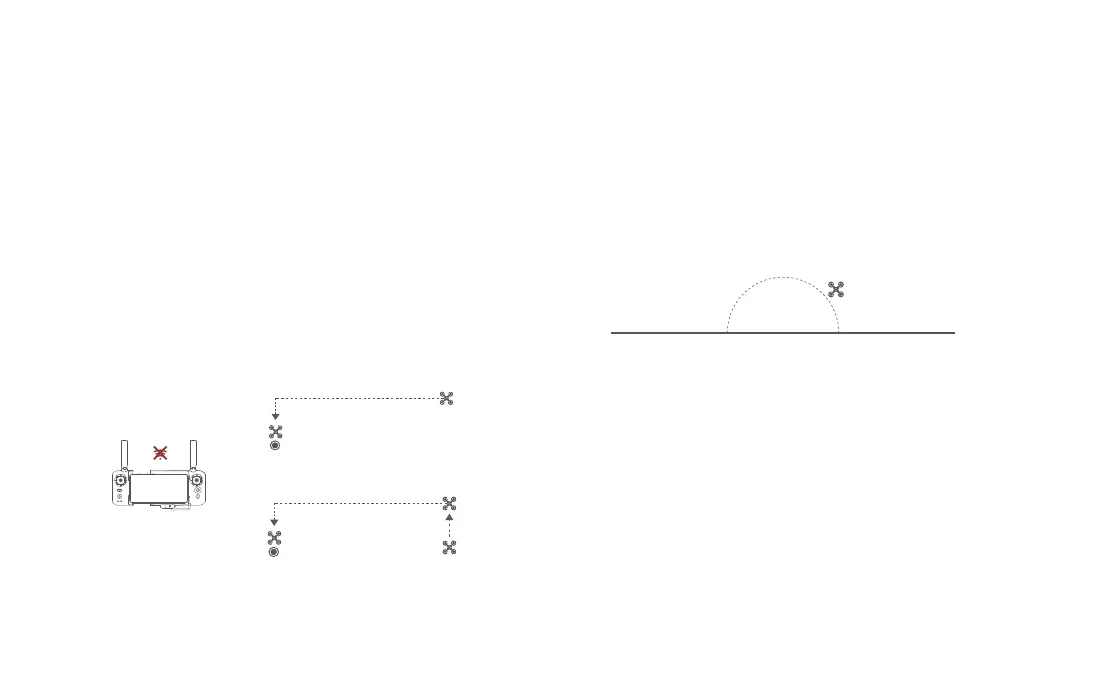
Fimi Navi 3.0 allows setting the behavior of the drone when the remote control
signal is interrupted to return, land, or hover. When set to return, if the GNSS
signal is strong, the compass is functioning properly, and the return point is
successfully recorded, the drone will be deemed disconnected if the signal
between the drone and the remote control is interrupted for 2 seconds or more.
The drone will then initiate a return flight in the event of disconnection. The
flight control system will take over control of the drone and reference the
original flight path to plan the return route, guiding the drone back to its takeoff
point. If the connection between the drone and the remote control is restored
during the return flight, the option to cancel the disconnected return will be
available, and control of the drone will be handed back.
home point
current altitude≥return altitude
home point
ascend first
( the default altitude is 30m)
current altitude<return altitude
Hovering on the Edge of No-fly-zone
The drone will automatically hover in the restricted flight area designated by
the state, such as the edge of airports, and the App will appear corresponding
hints. The user can use sticks to fly the drone from the edge of the no-fly-zone,
but the drone will not enter the no-fly-zone.
hover
No-fly-zone
Low-power Protection
In flight, when the battery level is only enough for RTH, App advises users
to return, and the drone will return automatically after 10 seconds countdown.
When the battery level is only enough for landing, App advises users to land
as soon as possible, and the drone will land automatically after 10 seconds
countdown. When the battery level is at 15% usage left, the drone will be
forced to land.



 To Next Page