Left stick
Right stick
Left stick
Right stick
Manual take off
Fly
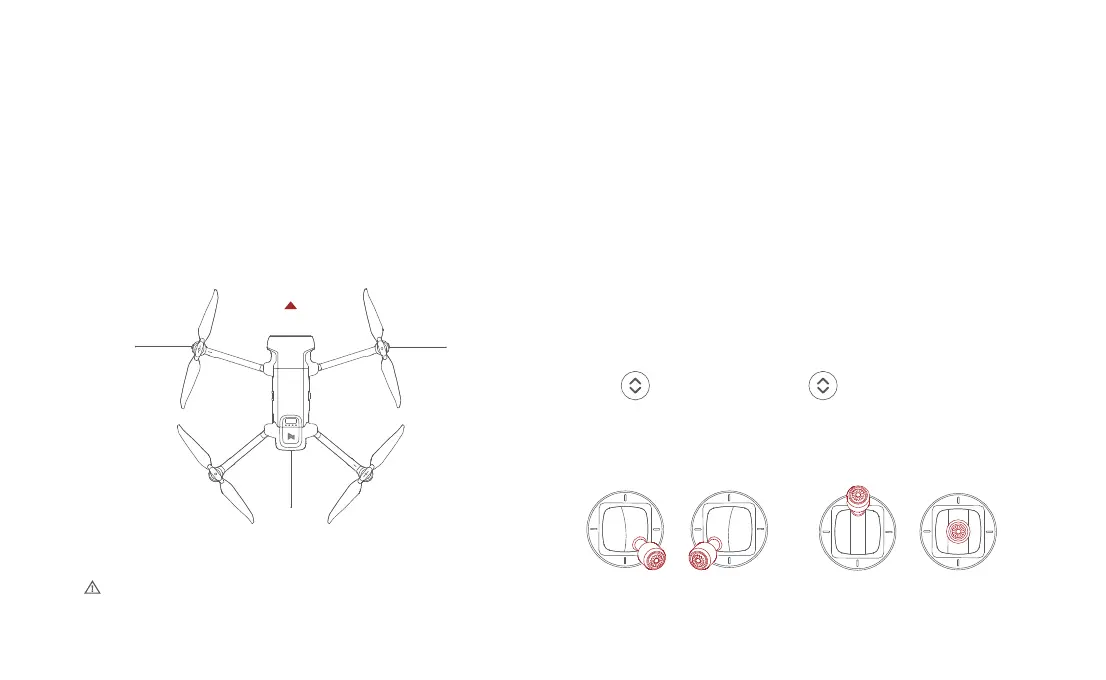
Confirm the drone heading
• The direction of integrated gimbal camera is the drone heading.
• Once the drone is turned on, the heading can be told by navigation
lights.
• The red light and the green light indicate the heading,and the yellow light
is the tail.
• Make sure the battery of the aircraft and the remote control are fully charged.
• Make sure that the propeller is installed correctly and that the propeller is
not damaged or deteriorated.
• Make sure the camera lens is clean.
• Make sure the SD card is inserted.
• Make sure the front and rear propellers are extended in place
• Whether the camera and gimbal work normally after powering on
• Make sure the FIMI Navi 3.0 is running normally
• Always keep the tail pointed at the user to avoid direction misjudging.
red green
yellow
Drone heading
34
Automatic take off / landing
Pre-flight inspection
Automatic take off Automatic landing



 To Next Page