B. HARDWARE INSTALLATION
1. Connect power adaptor first.
2. Connect IP Camera to PC or network
3. Set up the network configurations according to the network environment. For
further explanation, please refer to chapter V: “Network Configuration for IP
Camera”.
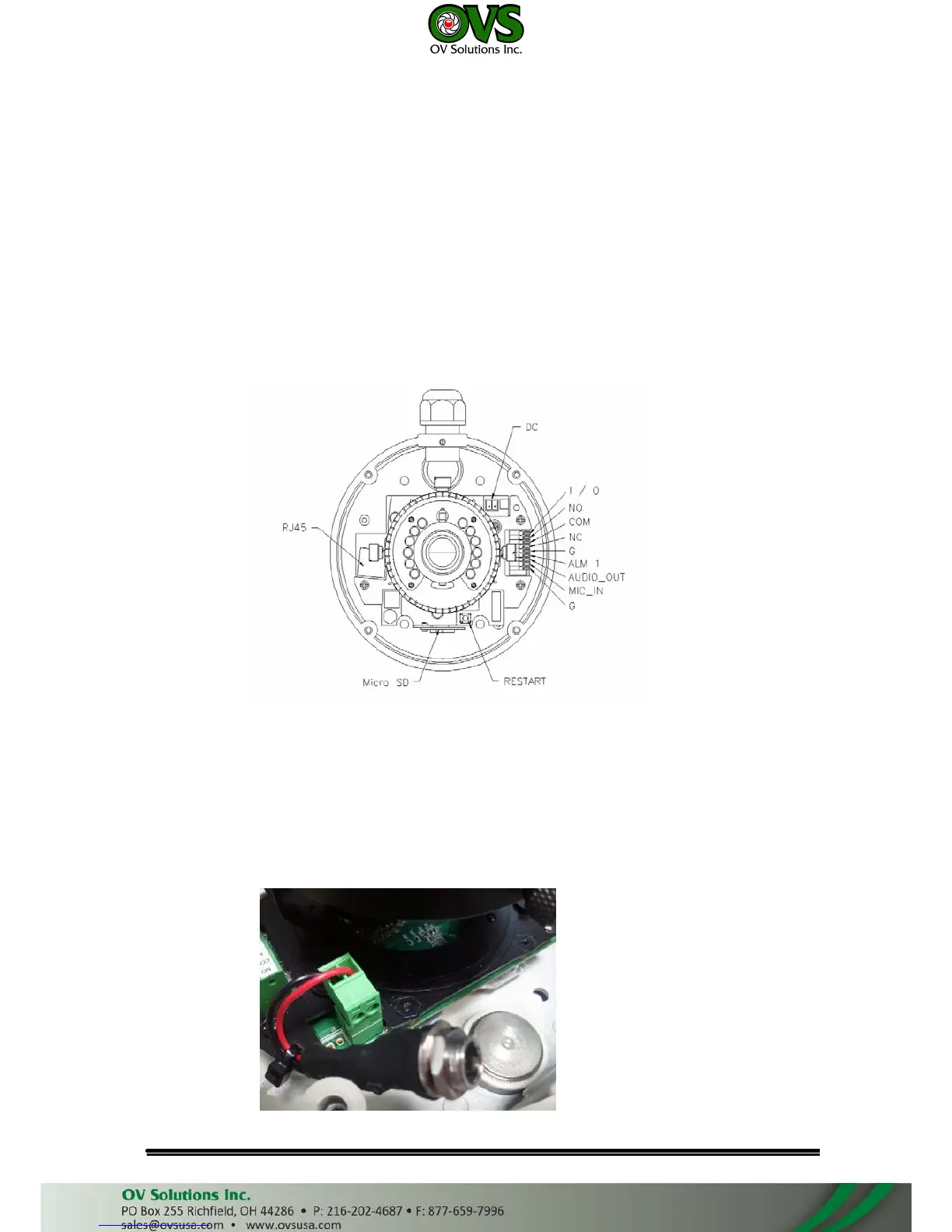
4. IP Camera Instruction
Remove the dome cover, and you will see the structure as below.
5. Connector Instruction
Connect the camera with power and Internet as the picture above. The
following picture shows a DC 12V connector for adapter jack plug. About I/
O setting, please refer to chapter VI in User Manual: "I/O Configuration" for
detail.



 To Next Page