B. Network
1. IP Setting
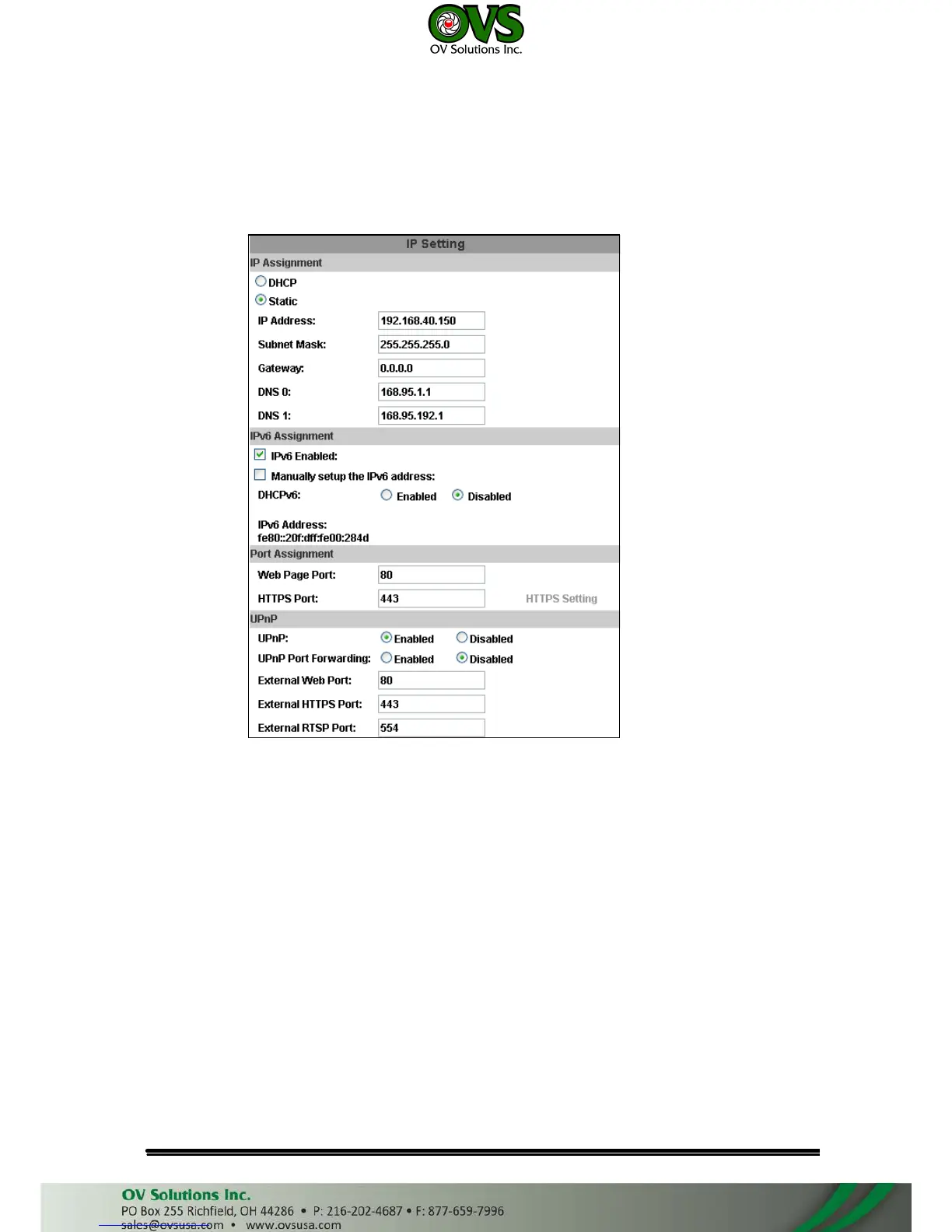
IP Camera supports DHCP and static IP.
a. IP Assignment
(i)
(ii)
DHCP: Using DHCP, IP CAMERA will get all the network parameters
automatically.
Static IP: Please type in IP address, subnet mask, gateway, and DNS
manually.
b. IPv6 Assignment: IPv6 is a newer numbering system that provides a much
larger address pool than IPv4, which accounts for most of today’s Internet
traffic. You can set up IPv6 manually by key in Address, Gateway, and
DNS, or enable DHCP to assign the IP automatically.



 To Next Page