34
CONTENTS
7
9
8
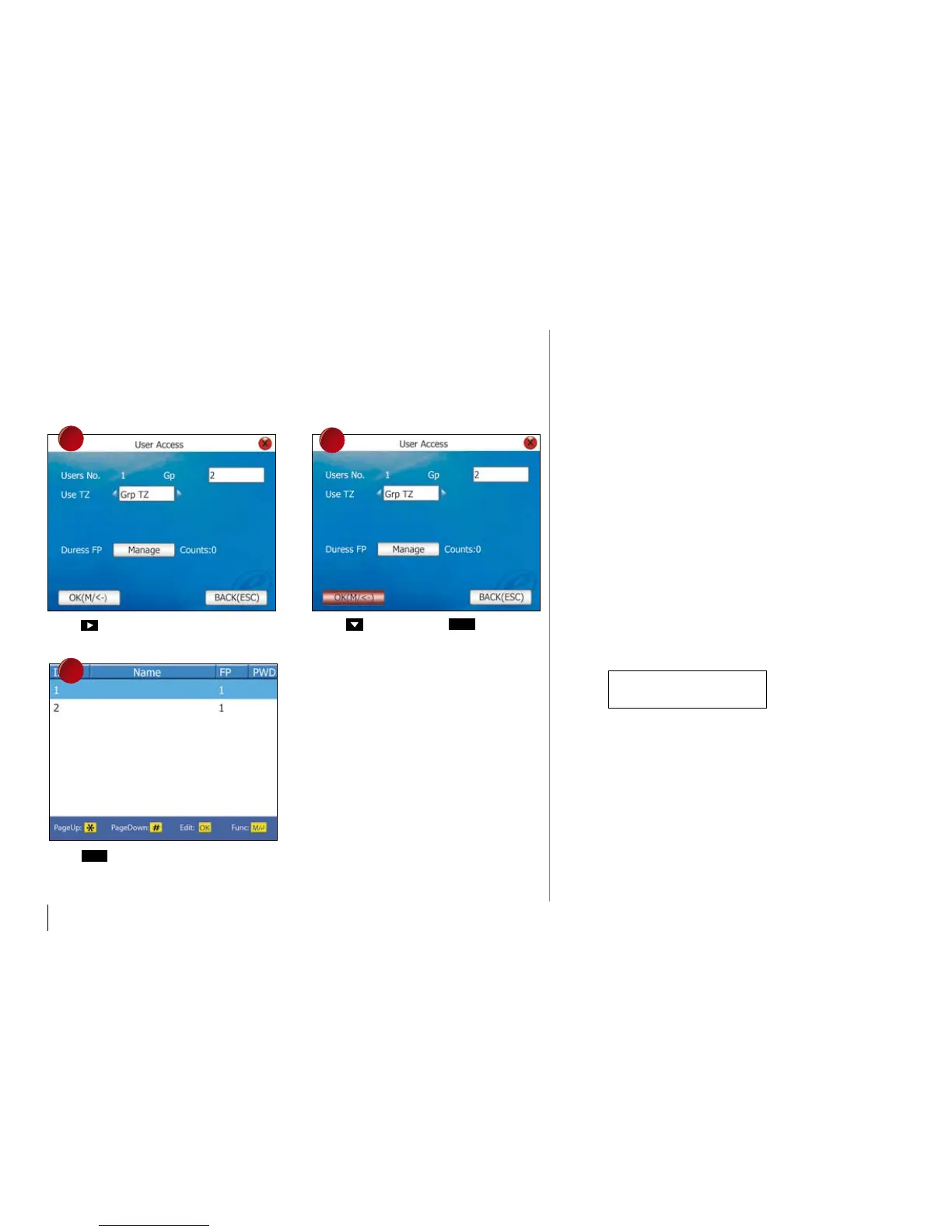
Press to choose Grp TZ.
Press
3 times to return to the main
menu.
Press twice and press
Ok
.
DEFINITION OF
HOLIDay SETTINGS
User access time can control reader during
holiday. The access time zone might vary dur-
ing holiday and the time zone for holiday can
be preset.
During configuration of the time zone for holi-
day, the time range for the time zone is time to
block users to gain access.
Example,
Users are allowed to access during holiday
from 8:00 to 12:00. Therefore, you must con-
figure in time zone as below
13:00 – 23:59
This is the time range to block users to gain access
from the reader. Please kindly take note, time zone
for holiday has a different concept than the normal
time zone.



 To Next Page