35
CONTENTS
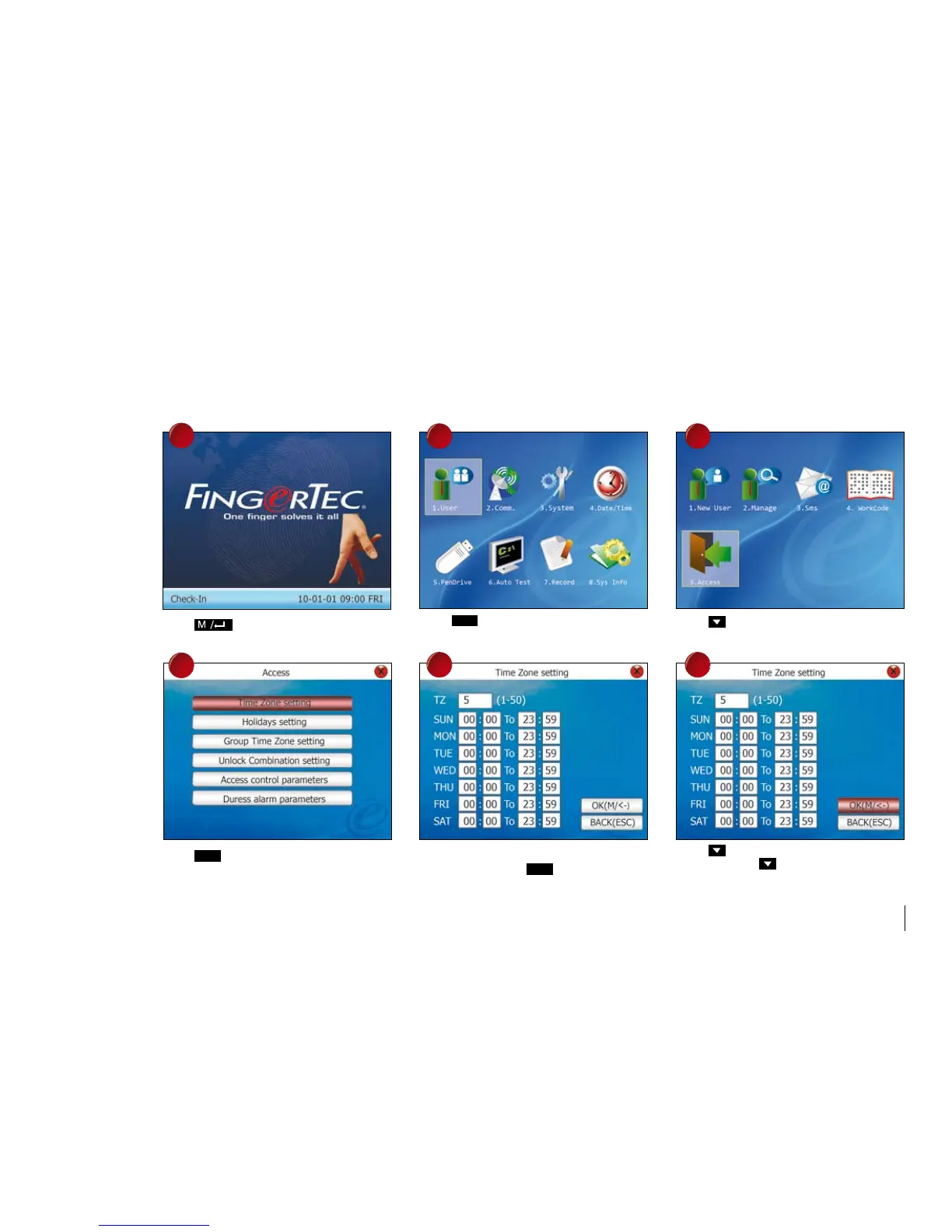
Press once.
Press
Ok
once to choose Time Zone
settings.
Press
Ok
once.
Enter a value to choose for time zone (1~50),
for example 5. Press
Ok
once.
Press once to select Access.
Press and enter TZ into the column.
Repeat to press to go to the next column
for the next time range.
EXampLE OF SETTINGS
Select a public holiday for example 1st May. The reader is set to disallow any access during holiday.
Follow the steps shown to configure holiday settings.
1
2 3
4
5 6



 To Next Page