- 18 -
Renaming a Channel
• Select the channel that you want to rename and
select Edit Name option. Press OK button to
continue.
• Pressing “ ” or “ ” button moves to the previous/
next character. Pressing “ ” or “ ” button toggles
the current character, i.e., ‘b’ character becomes ‘a’
by “ ” and ‘c’ by “ ”. Pressing the numeric buttons
‘0...9’ replaces the highlighted character with the
characters printed above the button one by one as
the button is pressed.
• When nished, press the OK button to save. Press
MENU to cancel.
Locking a Channel
You can press GREEN button to tag/untag all
channels; YELLOW button to tag/untag a single
channel.
• Select the channel that you want to lock and select
Lock option. Press OK button to continue.
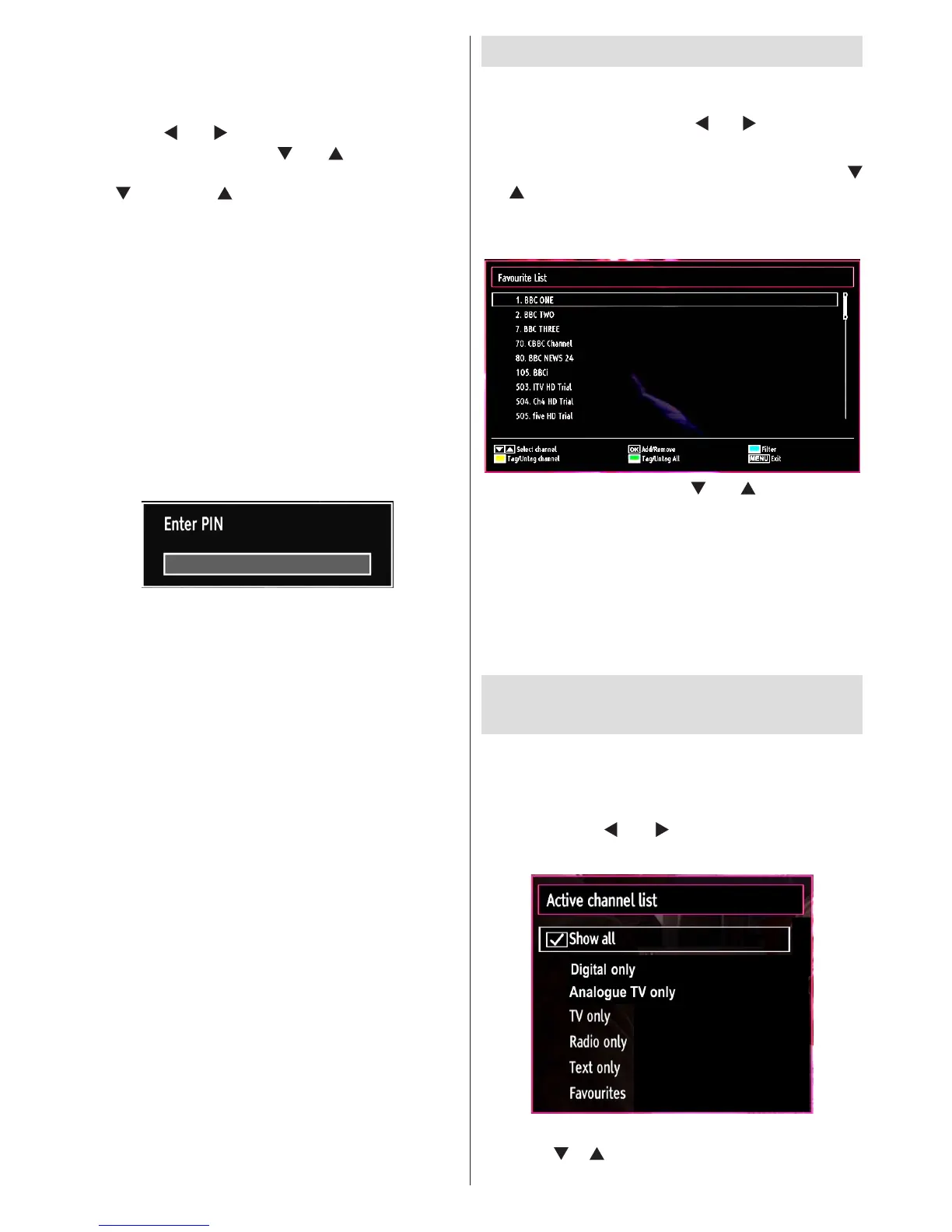
• You will be asked to enter parental control PIN.
Default PIN is set as 0000. Enter the PIN number.
• Press OK button when the desired channel is
highlighted to lock/unlock the channel. The Lock
symbol will be displayed next to the selected
channel.
Managing Stations: Favourites
You can create a list of favourite programmes.
• Press MENU button to view the main menu. Select
Channel List item by using “ ” or “ ” button. Press
OK to view menu contents.
• Select Favourites to manage favourite list. Use “
”/“ ” and OK buttons to select Favourites.
• You can set various channels as favourites so that
only the favourite channels are navigated.
• Select a channel by using “ ” or “ ” button. Press
OK button to add selected channel to favourites list.
Press OK button again to remove.
Button Functions
• OK: Add/remove a station.
• YELLOW: Tag/untag a channel.
• GREEN: Tag/untag all channels.
• BLUE: Displays ltering options.
Managing Stations: Sorting the
Channel List
You can select broadcasts to be listed in the channel
list. To display specic types of broadcast, you should
use the Active channel list setting.
Select Active channel list from the Channel list
menu by using “ ” or “ ” button. Press OK button
to continue.
You can select a broadcast type option from the list
by using “ ” /“ ” and OK buttons.




 To Next Page