25
NAVIGATING THE BARK BLOWER INTERFACE
NOTE: To return to the MAIN menu at any time, press the Home button on the
Main Control Panel (see Figure 6).
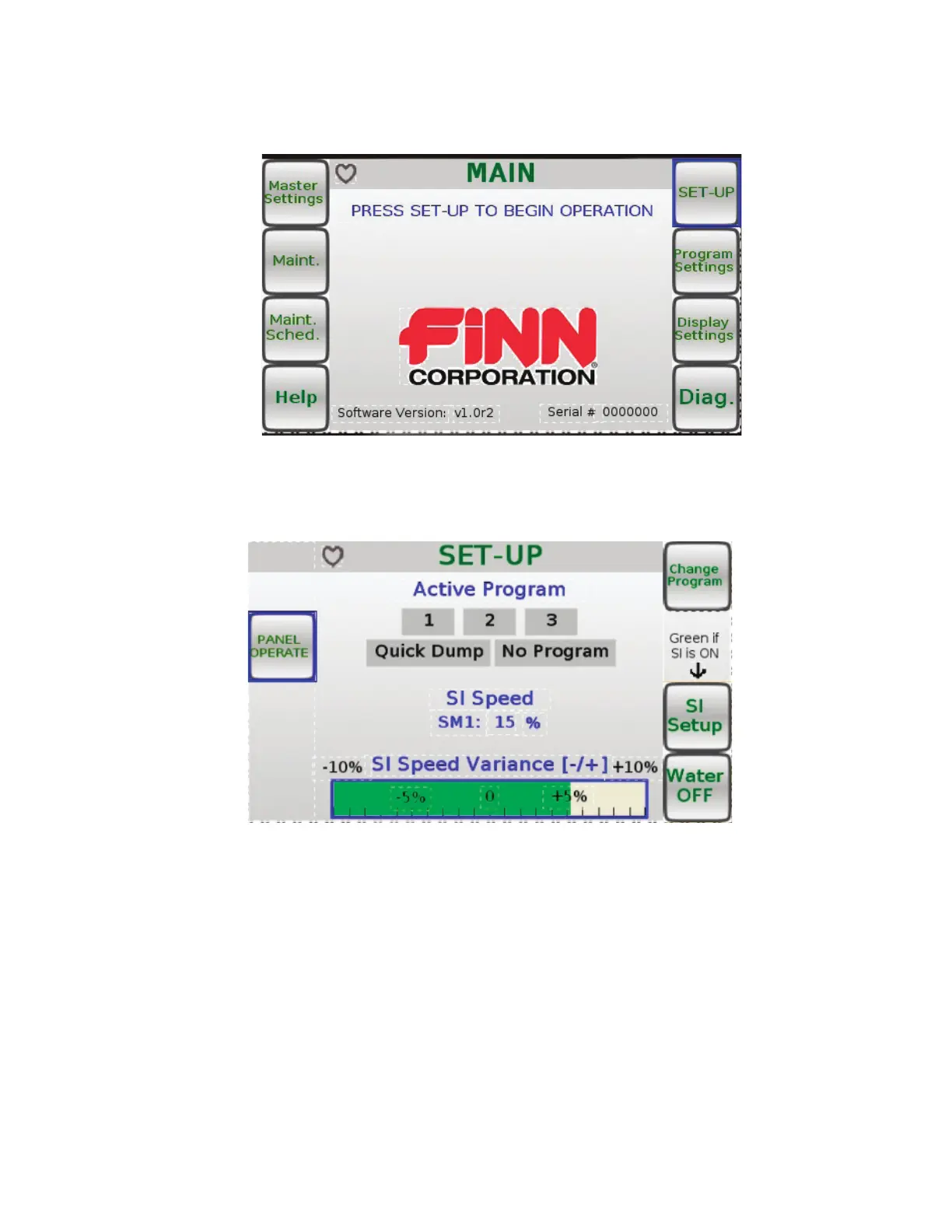
On the right and left-hand sides of the MAIN menu screen (see Figure 7) are the names of eight sub
menus. Pressing the corresponding button on the control box next to the sub-menu name will take
you to the corresponding menu. From the MAIN menu screen, you can access the Main Settings,
Maint., Maint, Sched., Help, SET-UP, Program Settings, Display Settings, and Diag. menu screens.
The PANEL OPERATE menu screen can be accessed by pressing the PANEL OPERATE but-
ton while in the SET-UP menu screen (see Figure 8). Seed Injection (SI) Speed Variance can be
changed in the SET-UP menu screen. Turn the control knob located on the Main Control Panel to
either the left or right to decrease or increase the SI Speed Variance.To turn the water control ON
or OFF, press the Water ON/OFF toggle button while in the SET-UP menu screen (see Figure 8).
To select an Active Program to use during operation, press the button labeled Change Program.
Programs 1,2, and 3 are all customizeable. To customize the settings for programs 1,2, and 3, select
the button labeled Program Settings, located in the MAIN menu screen (see Figure 7).
Quick Dump is a program for which the default settings cannot be changed.
Selecting No Program will allow you to change any of the settings to meet the needs at hand.
Figure 7
Figure 8



 To Next Page