No. 2015-0007
Date Released: December 2, 2015
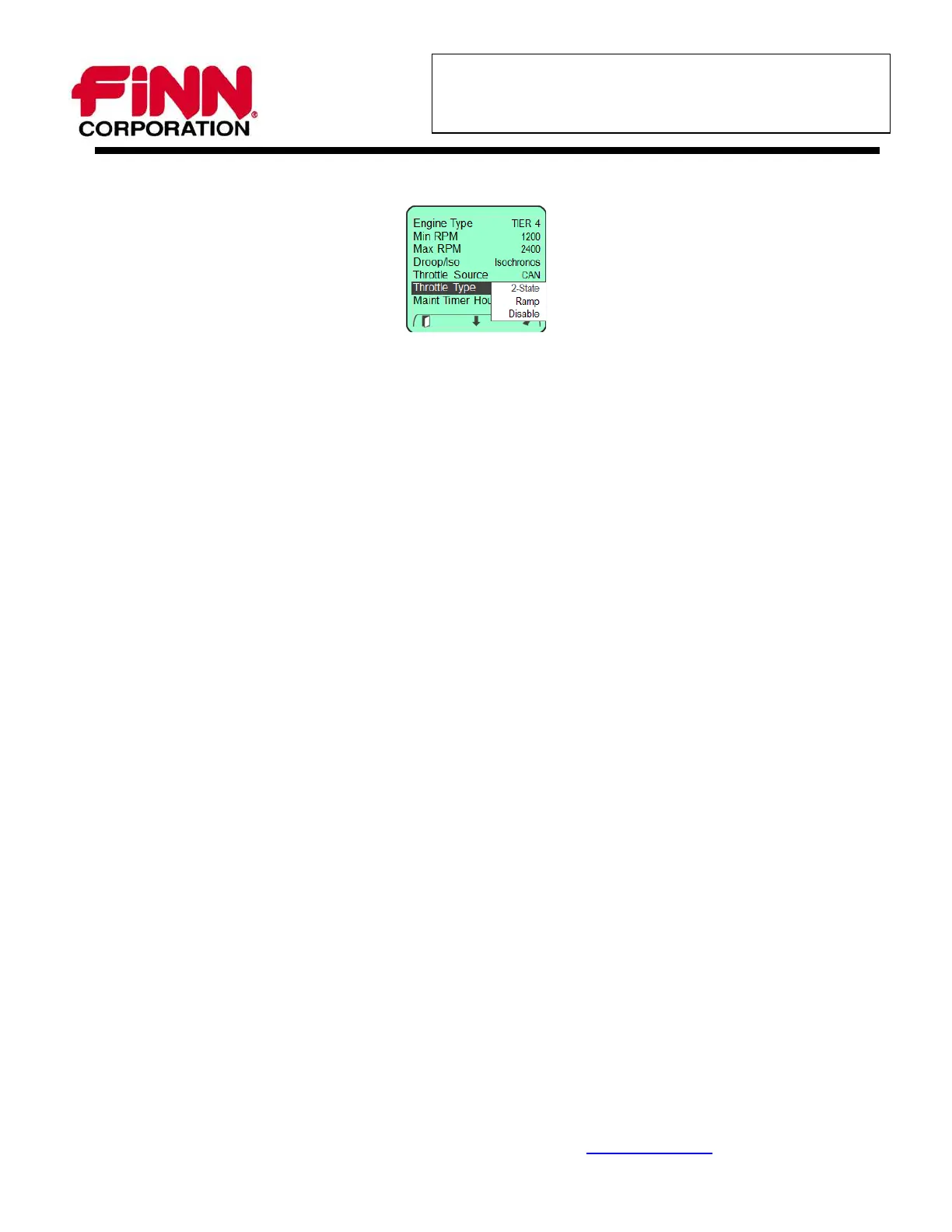
16. Scroll down with the down arrow key to “Throttle Type” and press the right arrow to enter.
17. Using the right “Change” Soft Key, cycle the setting to Ramp.
18. Press the left “Exit” Soft Key to return to the Engine Settings Menu.
19. Press the left “Exit” Soft Key to save all settings and return to the Main Menu.
20. Press the left “Exit” Soft Key again to return to the display mode.
21. Press the engine stop (ENG STOP) button on the key pad one time to turn off the engine.
22. Turn the key switch to "OFF".
* For any additional informat ion please call t he Finn Service department at 1- 800- 543- 7166 Ext. 226
9281 LeSaint Drive Fairfield, Ohio 45014-5457 U.S.A.
(513) 874-2818 800-543-7166 Fax (513) 874-2914 www.finncorp.com
Page 6 of 6




 To Previous Page