Operating Menus
Model DW-700/702 User's Manual
10
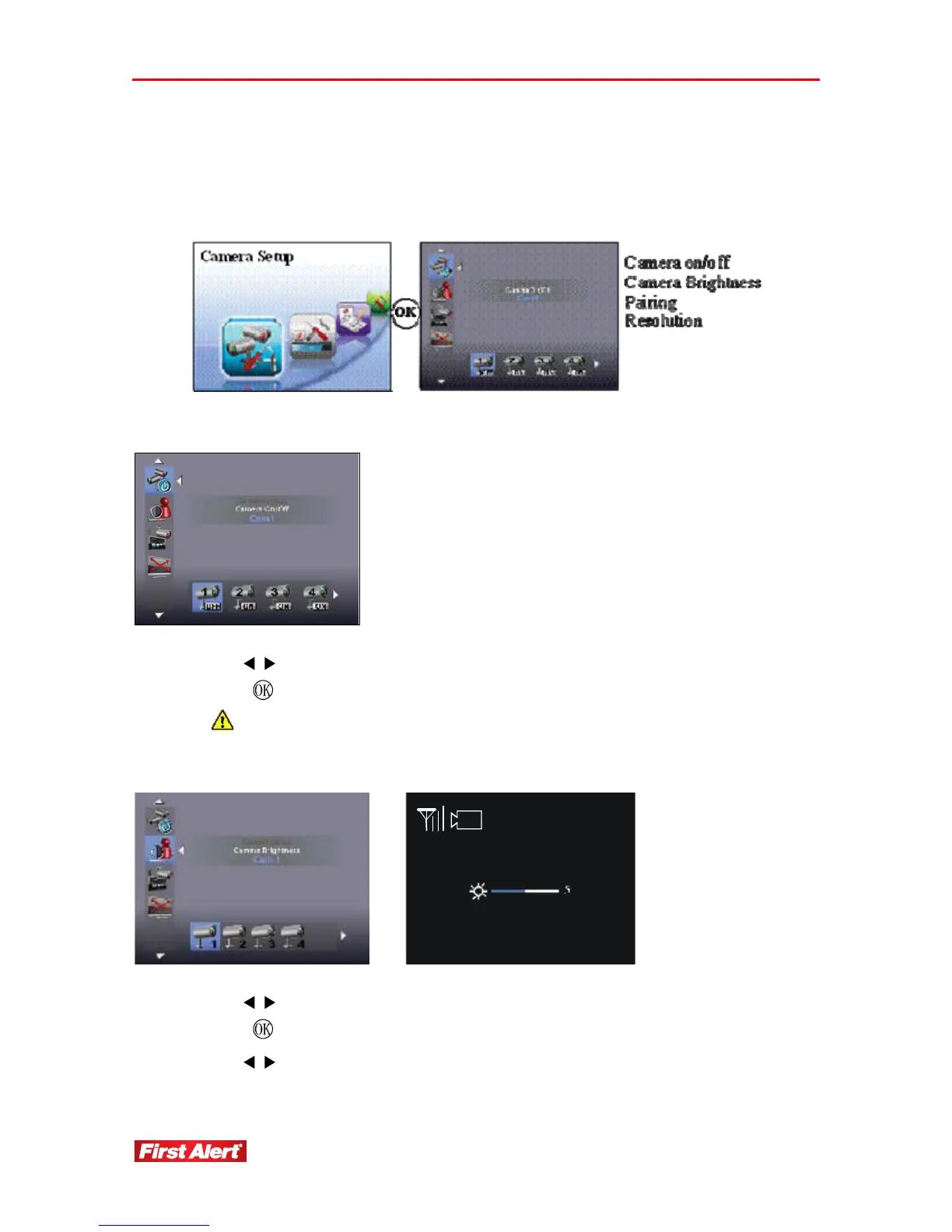
CAMERA SETUP
Access the Camera Setup menu from the Main Menu. Use this menu to turn the camera
on/off and adjust image brightness, pairing, resolution and quality.
CAMERA ON/OFF
1. Use
to select a camera.
2. Press
to turn camera ON/OFF.
Make sure unavailable cameras are set OFF from SCAN or QUAD mode.
CAMERA BRIGHTNESS
1
1. Use
to select a camera.
2. Press
to display Camera Brightness bar.
3. Use
to adjust Brightness.


 To Next Page