– 55 –
Charts of Your System’s Features
Charts of Your System’s FeaturesCharts of Your System’s Features
Charts of Your System’s Features
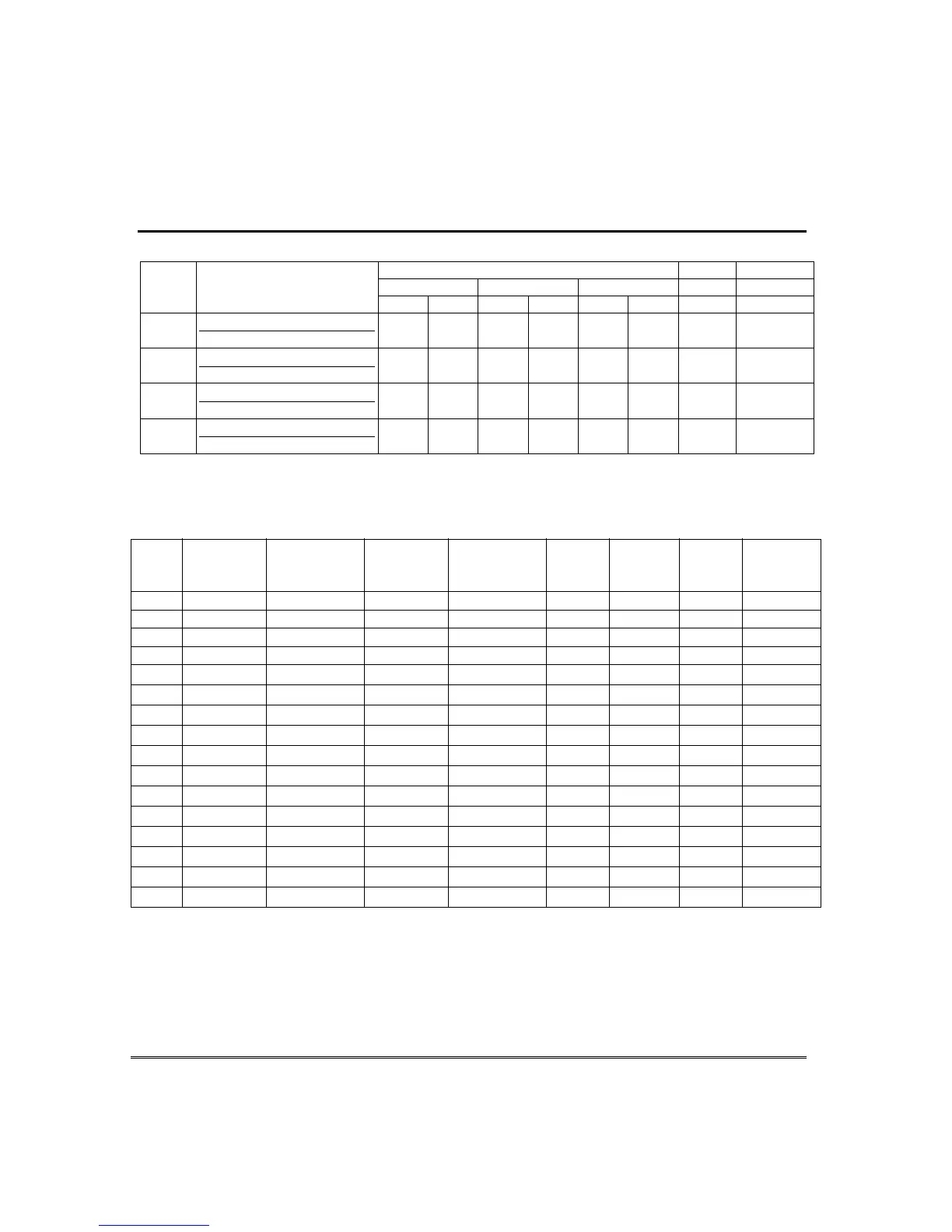
Paging Setup
Automatically Reports Upon… Sched. Func. Key
open/close alarm/trouble
zone list
Pager
Pager Phone Number\
Prefix Characters
p1 p2 p1 p2 p1 p2
1
2
3
†
4
†
† Pagers 3 and 4 apply to FA168CPS.
Schedules: master code + [#] + [6] [4]. (
†
FA168CPS can use schedules 01-16; FA148CP can only use schedules 01-04.)
No. Event Device No. Group No. Partition
††
Start Stop Repeat Random
(see list below) for “01” events: for “02” events: for “04-06” events: Time/ Time/ (1-4) (yes/no)
(see device list below) enter 1-8 enter 1, 2, or 3 Day Day
01
02
03
04
05
†
06
†
07
†
08
†
09
†
10
†
11
†
12
†
13
†
14
†
15
†
16
†
Events: 00 = clear event 03 = latch key report 06 = auto disarm
01 = device on/off 04 = forced STAY arm 07 = display “reminder”
02 = user access 05 = forced AWAY arm †† Partitions apply to the FA168CPS only.
Repeat Options: 0 = none; 1 = repeat weekly; 2 = repeat every other week; 3 = repeat every third week; 4 = repeat every fourth week



 To Next Page