8
The active prompts displayed at the bottom of the circuit board indicate the function of each user button.
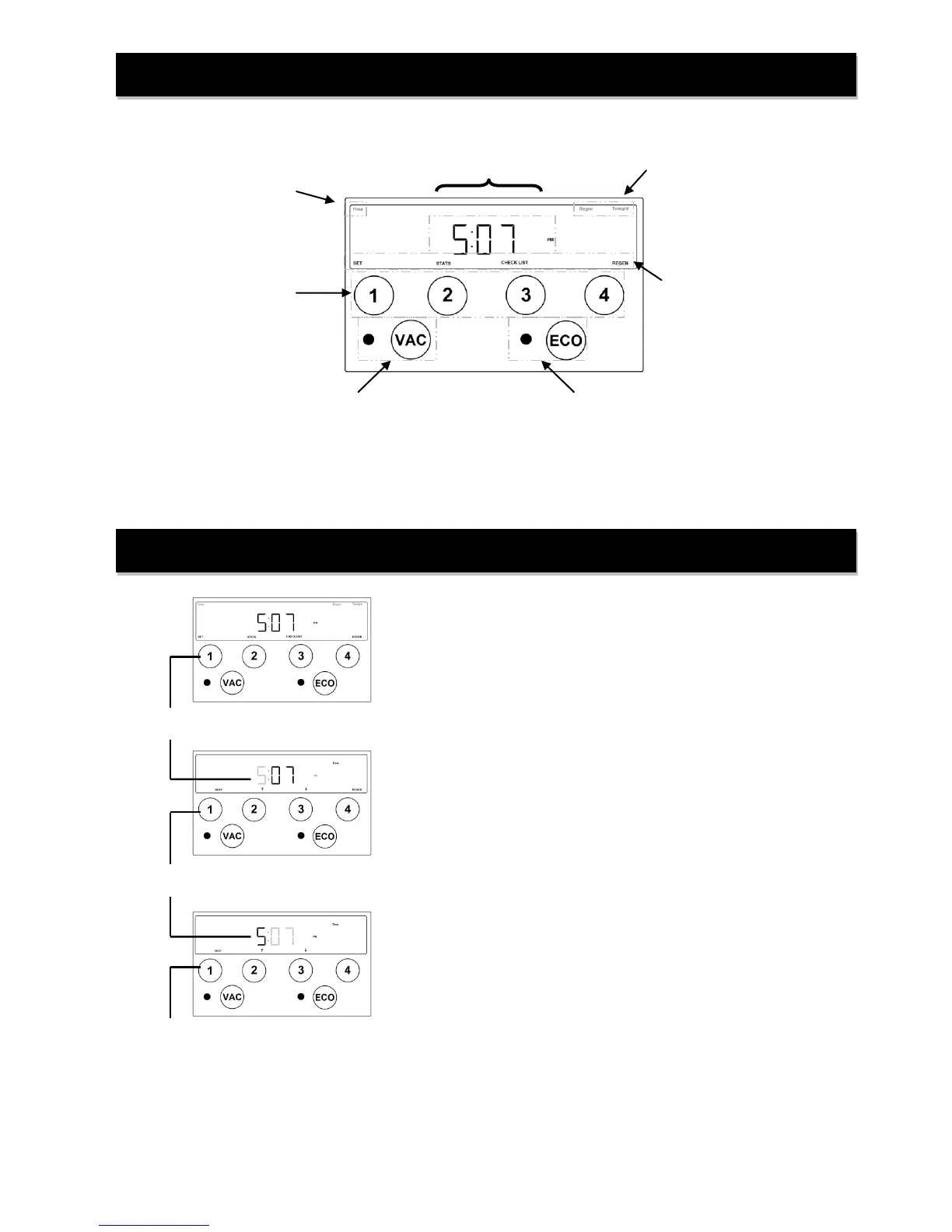
Display and Operation - Home Screen
Current Time of Day
including AM or PM
indicator
Flow indicator—
Flashes with
water use
Regen Tonight—
Illuminates to show
pending regeneration
status
Active prompts for
user input buttons
“Vacation” Mode button
and indicator light
“Eco” Mode button
and indicator light
Display and Operation - Setting Time
“Home” screen displays current time-of-day.
Press ‘SET’ button to access time set screen.
Using ‘↑’ and ‘↓’, set the current time-of day hours. Note the AM
and PM indicator and set the time accordingly.
Press ‘NEXT’ button to set current minutes.
Using ‘↑’ and ‘↓’, set the current minutes.
Press ‘NEXT’ button to save changes and return to ‘Home’ screen.


 To Next Page