15
7
Shortcut Operations
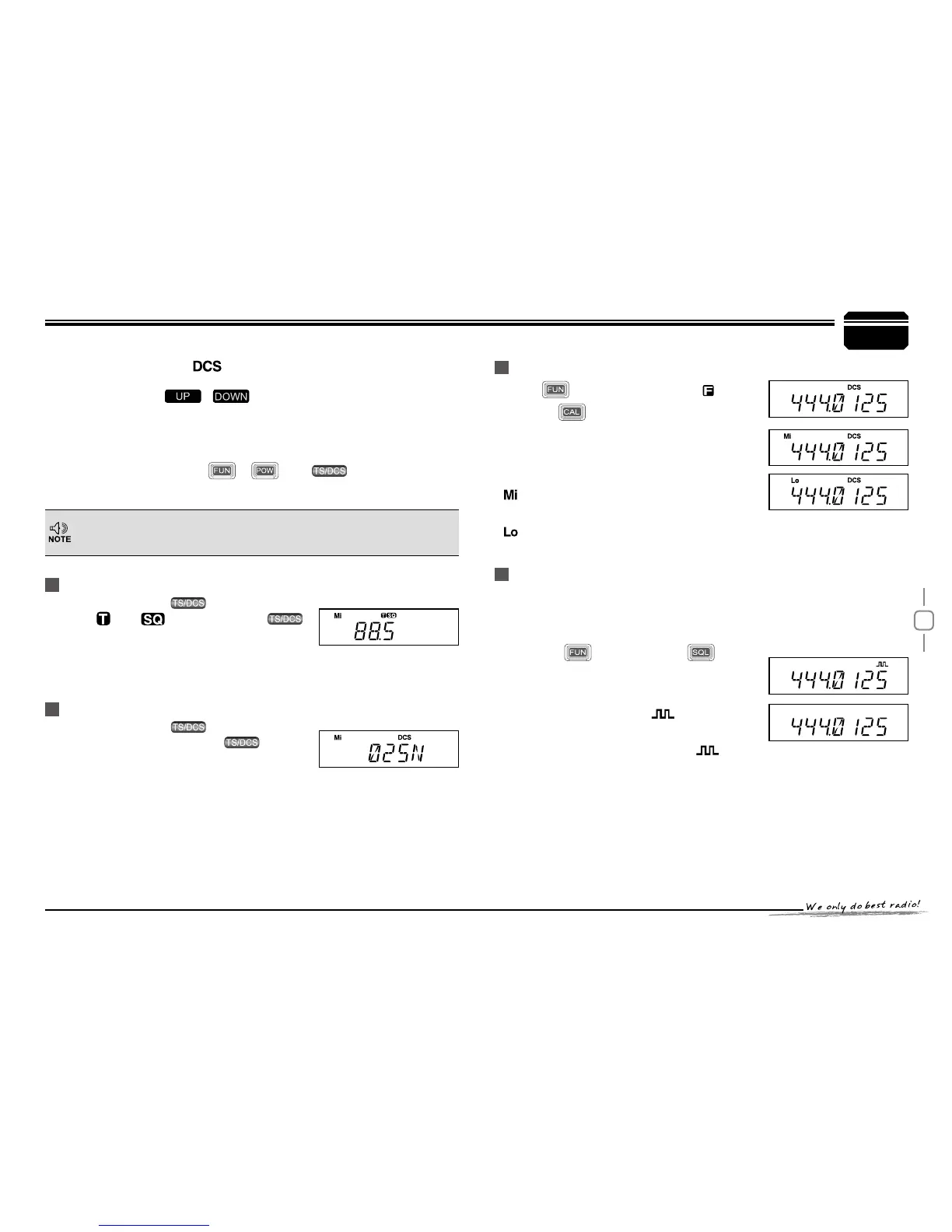
CTCSS SCAN
Repeatedly press key until LCD
displays
and icons ,then hold
key for 1S to enter into CTCSS scanning.
Once nding a matching CTCSS signaling ,it
will stop for 15s then scan again.
Under channel mode,this operation can be temporarily used by user. Once
the radio is turned off or switched to another channel,the temporary setting
will be erased.
When LCD appears
3.
icon, it means current channel can be set
with DCS encode and decode together, turn selector knob or press
Microphone's [
/ ] to select desired DCS encode and
decode.
CTCSS:62.5-254.1, Total 51groups; DCS:000N-777I total 1024
4.
groups. N is positive code, I is inverse code.
Press any key except
5.
, and keys to return into
standby status.
Repeatedly press
key until LCD
displays DCS icons ,then hold key for
1S to enter into DCS scanning. Once nding
a matching DCS signaling ,it will stop for 15s
then scan again.
compander function.
Press
key until LCD display icon,
then press
key to switch between high/
Mid/low power. The LCD appears:
None: Transmit in high power
: Transmit in middle power
: Transmit in low power
Compander function will decrease the background noise and enhance
audio clarity, especially in long range communication.
Press
1.
key, then press key to
turn on compander function, repeat
above operatio n again to turn off
HIGH/MID/LOW Power switch
Compander (Decrease the background noise and ENHANCE
AUDIO CLARITY)
When LCD appears
2.
icon, enable
compander in current channel.
When LCD doesn't display
3.
icon,
disable compander in current channel.
DCS SCAN


 To Next Page