34
13
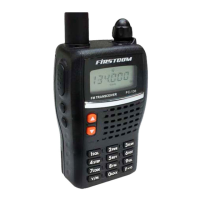
FR-188
DCS encode
and decode
-
VFO frequency 145.00MHz DCS code 023N
Memory channel
0-199 -
Output power HI
Offset direction
-
Key-lock setting OFF
Offset frequency 600KHz TOT OFF
Channel step 12.5KHz APO OFF
CTCSS encode and decode
-
Squelch Level 4
CTCSS frequency 88.5Hz
Default Setting after Resetting(VHF)
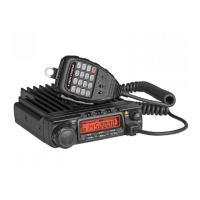
FR-488
DCS encode
and decode
-
VFO frequency 435.00MHz DCS code 023N
Memory channel
0-199 -
Output power HI
Offset direction
-
Key-lock setting OFF
Offset frequency 5MHz
TOT OFF
Channel step 25KHz APO OFF
CTCSS encode and
decode
-
Squelch Level 4
CTCSS tone frequency 88.5Hz
Default Setting after Resetting(UHF)
Trouble Shooting
Problem Possible Causes and Potential Solutions
(a) Power is on, nothing
appears on Display.
+ and - polarities of power connection
are reversed. Connect red lead to plus
terminal and black lead to minus terminal of
DC power supply.
(b) Fuse is blown.
Check and solve problem resulting in blown
fuse and replace fuse with new fuse.
(c) Display is too dim.
Dimmer setting is "LAMP-L". Please make the
dimmer setting "LAMP-H".
(d) No sound comes from
speaker.
• Squelch is muted. Decrease squelch level.
• Tone or CTCSS/DCS squelch is active. Turn
CTCSS or DCS squelch off.
(e) Key and Dial do not
function.
Key-lock function is activated. Cancel Key-lock
function.
(i) Rotating Dial will not
change memory channel.
Transceiver is in CALL mode. Press the VFO
or memory mode.
(g) PTT key is pressed but
transmission does not occur.
• Microphone connection is poor. Connect
microphone properly.
• Antenna connection is poor. Connect antenna
properly.
Maintenance


 To Next Page