DC50 Digital Dispenser Operating Manual
© 2020 Fisnar - 10 - DC50 Rev 02
EXTERNAL CONTROLS
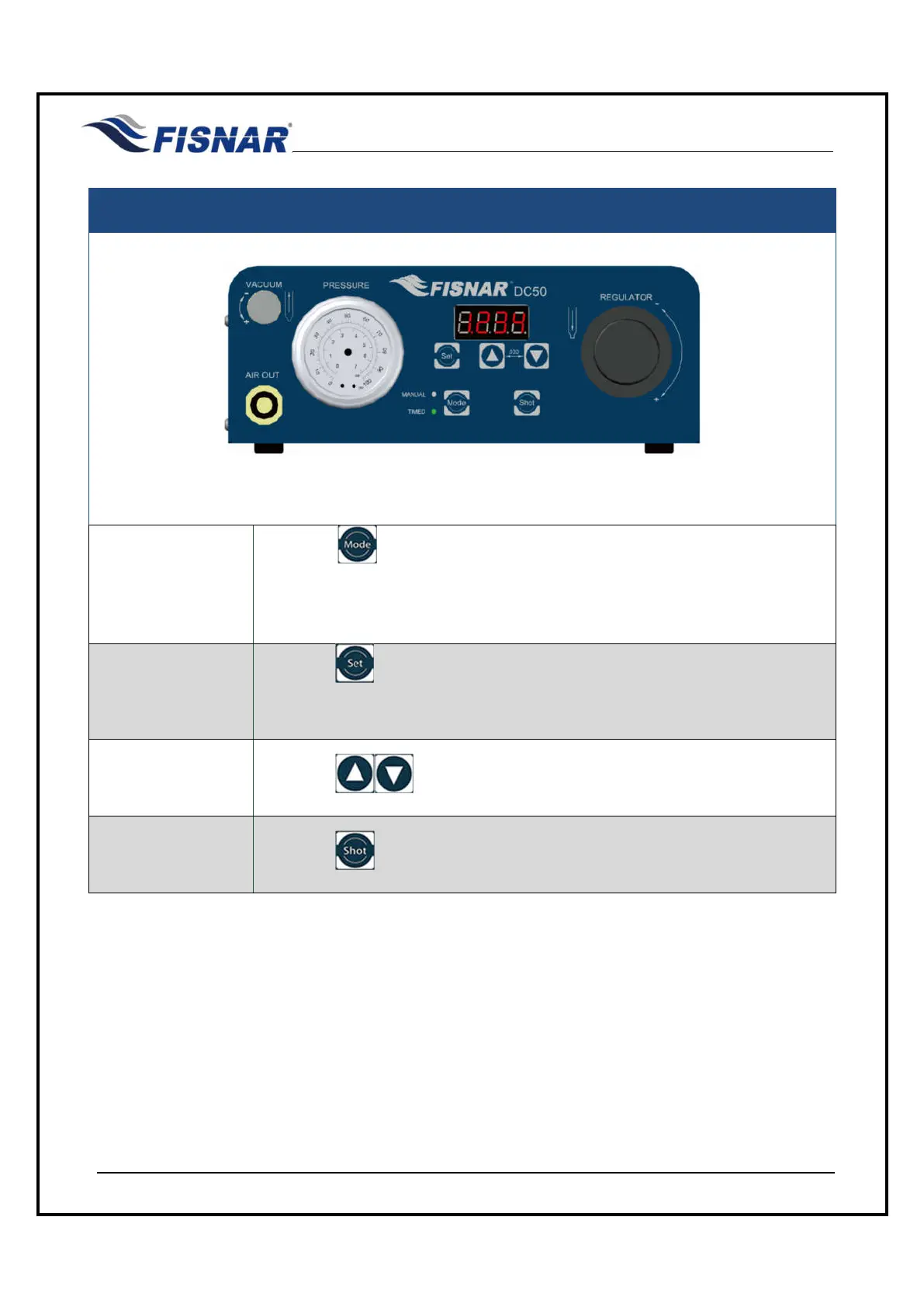
FIG. 4: Control Buttons
Switch Modes
Press the button to switch between the two different dispense modes
(MANUAL or TIMED). A green LED light will alight next to the text “MANUAL”
or “TIMED” to identify the current dispense mode that the machine is operating
in.
Change / Set
Dispense Time
Press the button in order to change the dispense time. It is then used as
a scroll button to move between the numerical digits showing on the digital
display screen.
Adjust Dispense
Time
Press the button to increase or decrease the dispense time.
Dispense Shot
Press the button to actuate the machine and begin fluid dispensing.



 To Next Page