DC50 Digital Dispenser Operating Manual
© 2020 Fisnar - 13 - DC50 Rev 02
DISPENSE MODES
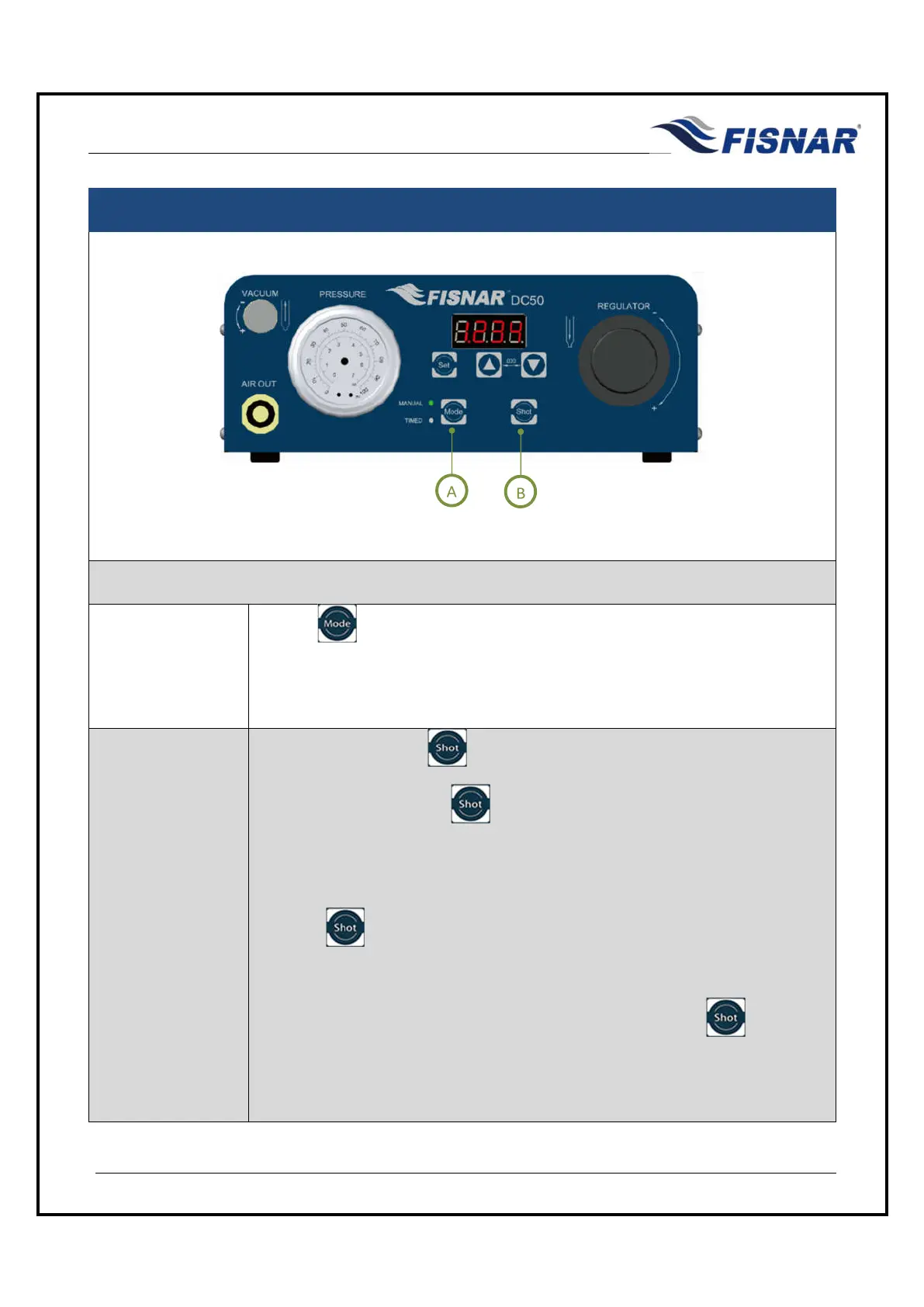
FIG. 7: Dispense Modes
MANUAL
MODE
1.
Use the button to switch to MANUAL mode.
MANUAL mode allows the operator to actuate the machine on demand
whenever the dispense signal is activated (i.e. foot pedal is pressed).
2.
Press the foot pedal or button to start the machine and begin dispensing.
Release the foot pedal or button to stop dispensing.
The machine will count the amount of time you are dispensing whilst the foot
pedal or button is pressed. This may be helpful in determining a time to
be used when programming in TIMED mode.
The TIME shown on the digital display after the foot pedal or button has
been released, will reset to zero (0) seconds every time the machine is
actuated.



 To Next Page