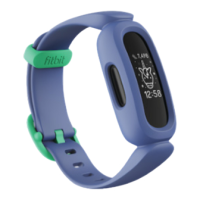
Activity and Wellness
Ace continuously tracks a variety of stats whenever you wear it. Data automatically
syncs with the Fitbit app throughout the day.
See your stats
From the clock face, swipe up to see your daily stats, including:
l
Steps taken
l
Active minutes
Find your complete history and other information detected by your tracker in the
Fitbit app.
Track your sleep
Wear Ace to bed to automatically track your time asleep and movement during the
night to help you understand your sleep patterns. Sync your tracker when you wake
up and check the Fitbit app to see your sleep stats, including when you go to bed,
how long you're asleep, and how long you spend awake or restless.
For more information, see the related help article.
Set a sleep goal
To start, you have a sleep goal of 9 hours of sleep per night. Customize this goal to
meet your needs.
For more information, see the related help article.
11


 To Next Page