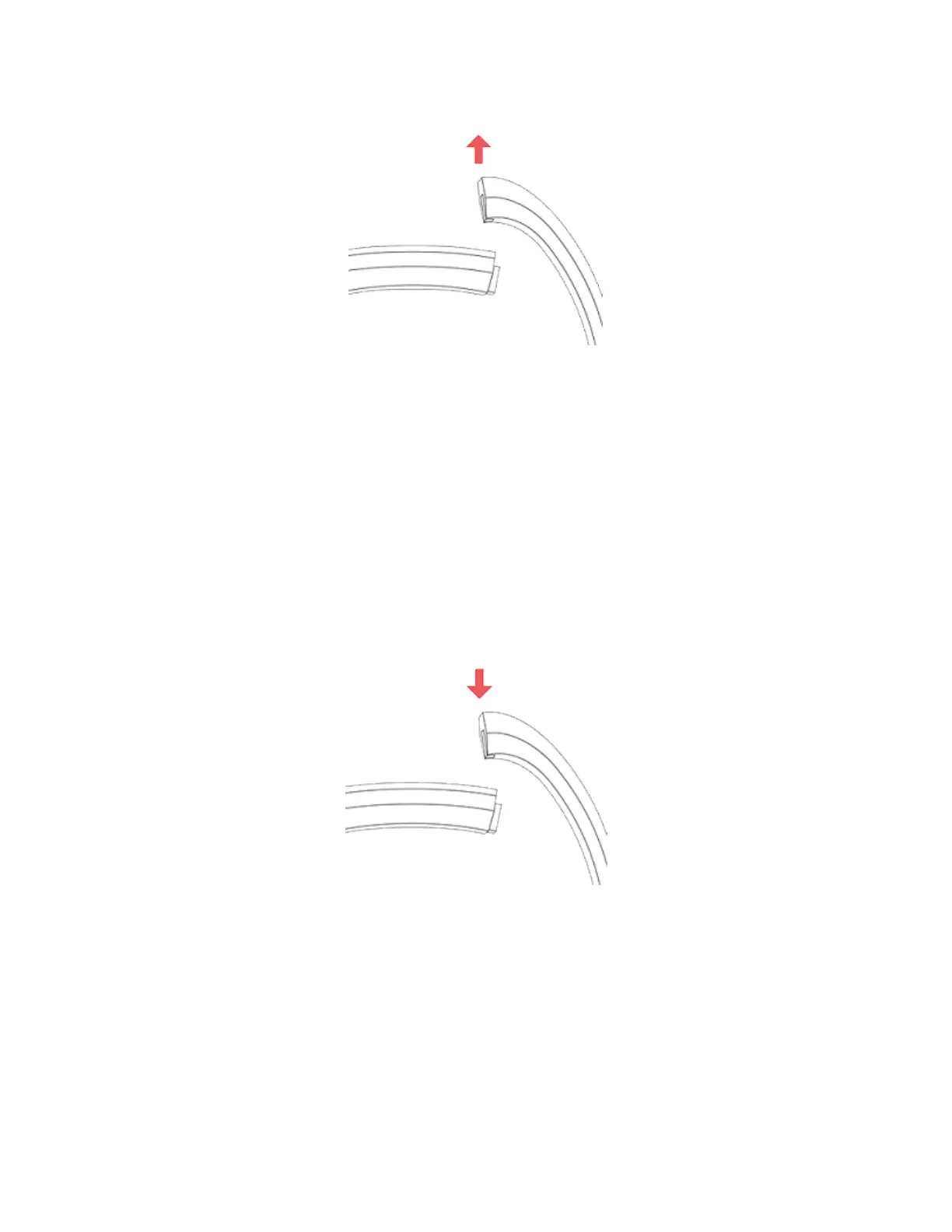
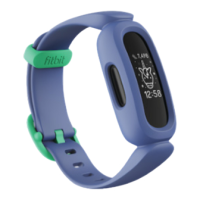
4. Repeat on the other side.
If you're having trouble removing the band or if it feels stuck, gently move thewrist
band back and forth to release it.
Attach a new band
Before you attach a new band, first identify the top and bottom bands. The top
band has a buckle on it and should be attached on the side closest to the charging
port. The bottom band has notches in it.
To attach a band, slide it down on the end of the tracker until it snaps into place.
9


 To Next Page