12
Start-up
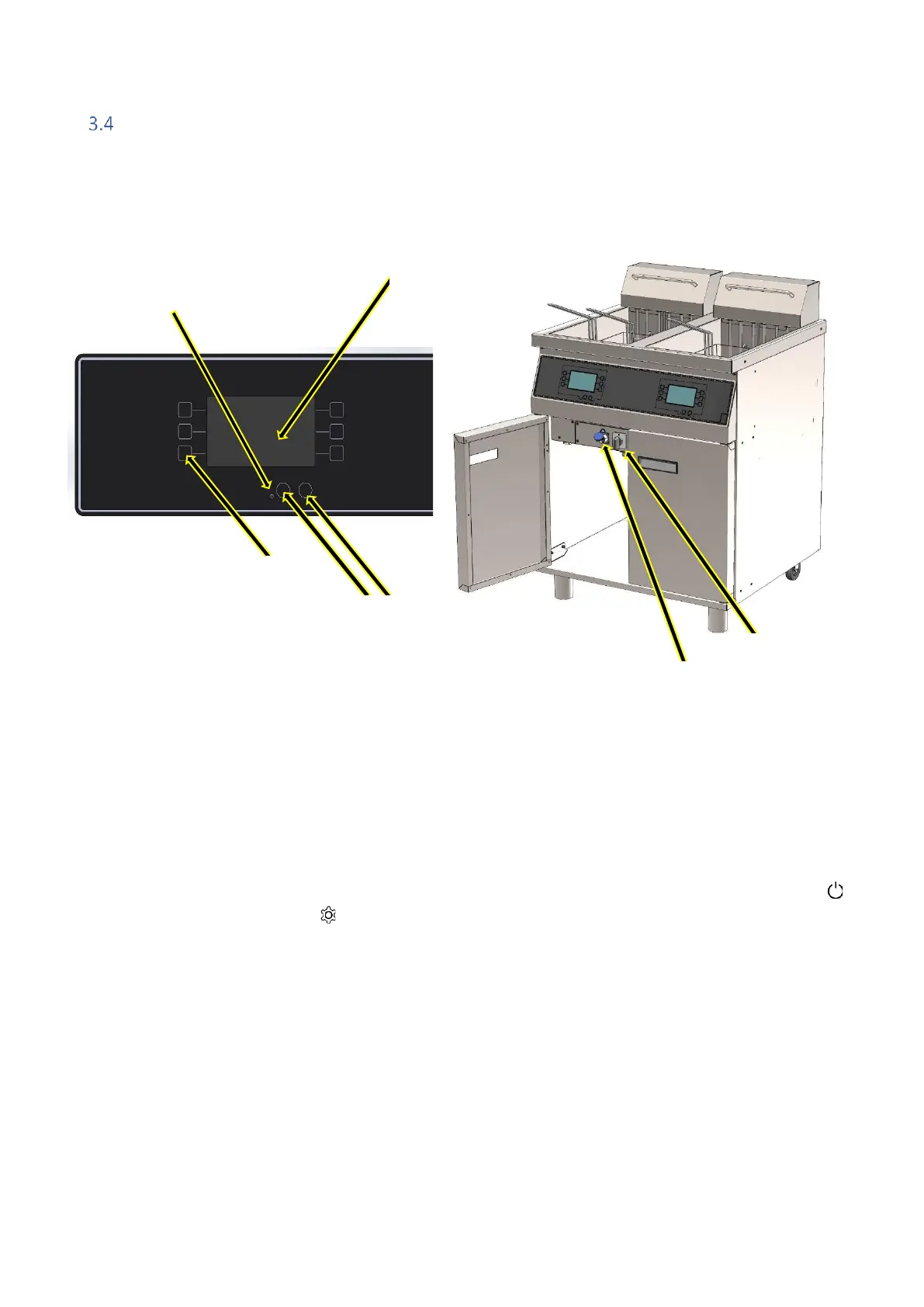
Explanation of the FRYER ADV user interface:
No. Description
1. Light
2. Start
3. Program buttons
4. Settings
5. Screen
6. Switch
7. USB port max. 4GB
Turn the switch (6) behind the front door and the light (1) on the front of the appliance will turn on. Press
to turn on the appliance or press to configure the appliance.
FRYER ADV is supplied with the following factory settings:
Temperature: 170°C
Frying time: 2:40 minutes
Factory settings can be reloaded by creating a blank text file on a USB dongle named
"factory.txt" and load the file under USB settings.
After use, always switch the appliance off at the main switch (6).


 To Next Page