18
USB dongle
USB port
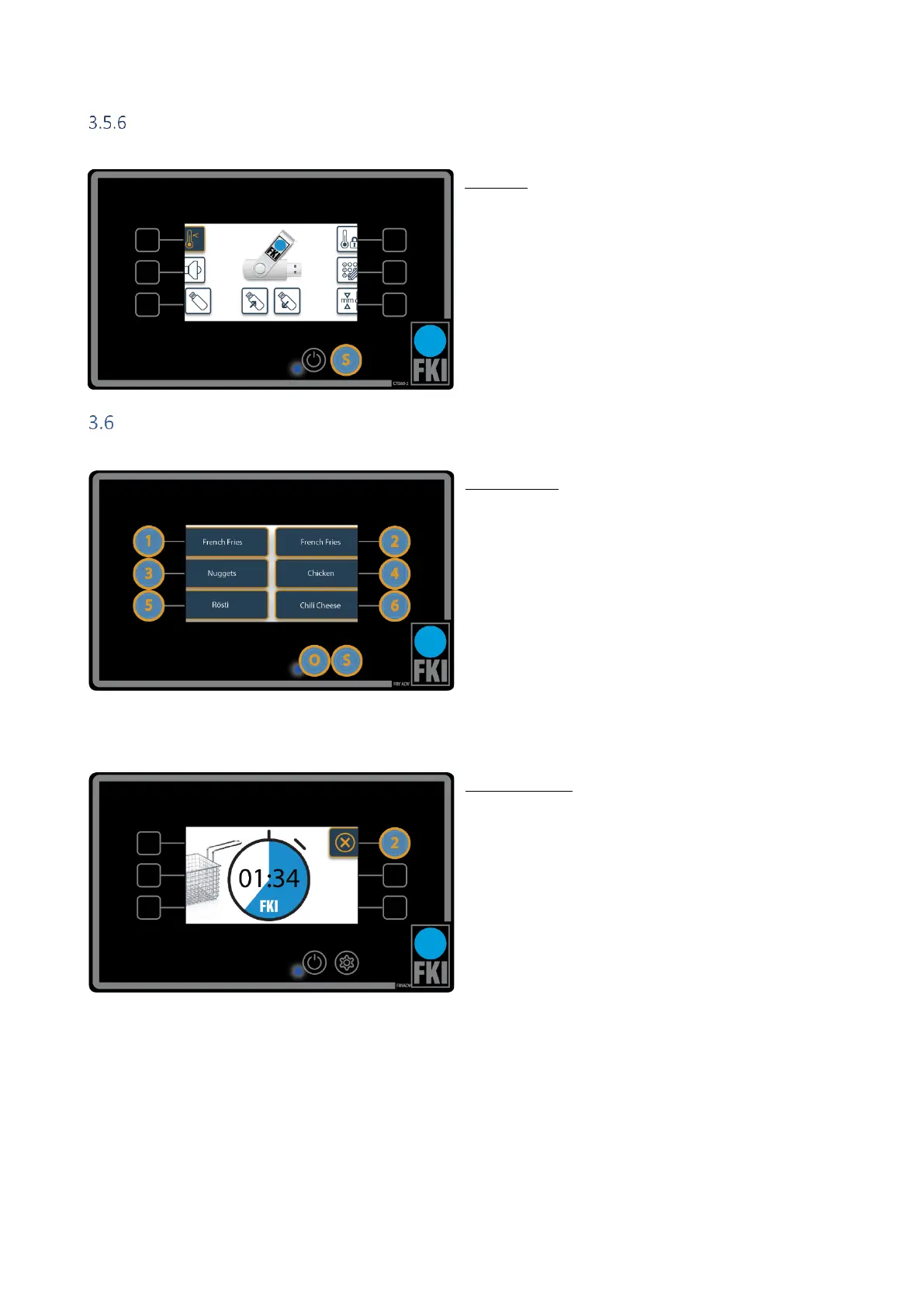
The USB port allows you to upload programs or save
them externally. The icon only becomes active when a
USB dongle is inserted. The top USB port is for the left
screen and the lower one is for the right screen. The ca-
pacity of the USB dongle must not exceed 4GB.
NB! If the USB dongle contains a settings file and the
dongle is read or written, the settings will be over-
written without asking for permission.
Operation
Home screen
This is the home screen during operation.
Press 1-6 to start a program.
Press O to switch off or go into standby.
Press and hold S for 3 seconds to display a graph of
the temperature over the last 3.5 hours.
Program active
If program 1-6 is selected on the home screen, this
screen will appear. Here, program 2 is selected. This
displays time remaining. If you want to stop frying
before the set time has expired, press the selected
program (here, program 2) and you will return to the
home screen.


 To Next Page