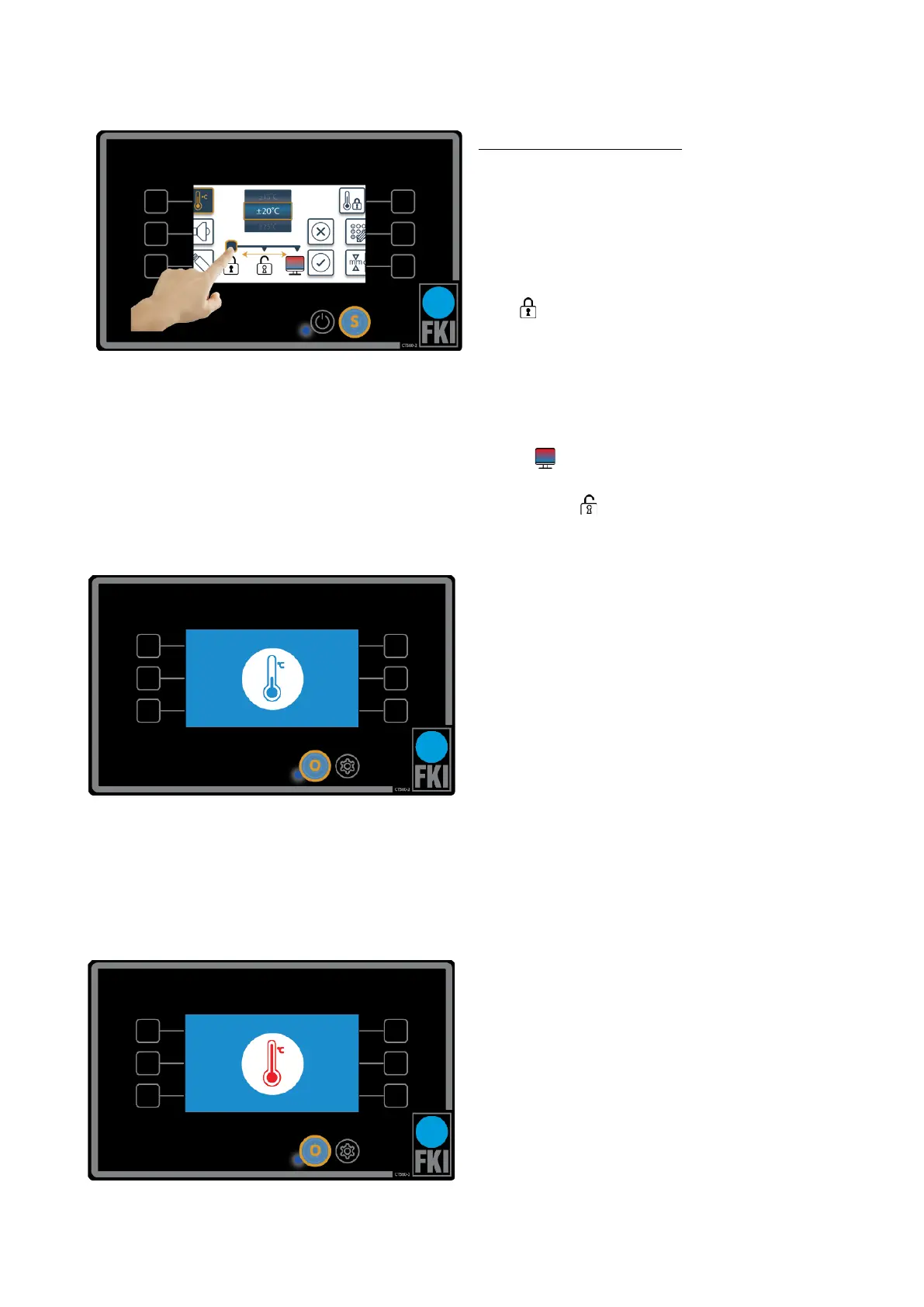
Operating zone temperature
This picture shows the screen that will appear if
you tap this icon
Here you have the option to select a temperature
range to ensure that the appliance always fries to
perfection. When temperature is outside the se-
lected range, the screen will lock until it is ready
again .
The following two pictures show what is displayed
on the screen if the appliance is too hot or not
hot enough. This option can be changed to show
a colour indication in the main menu as to
whether one or both pans are too hot or not hot
enough . This allows the user to ignore the
warning. It is also possible to completely remove
this indication .


 To Next Page