Date: 2021-10-28
Version: 1.1
Page: 17 of 35
FLARM Technology Ltd
Hinterbergstrasse 15
CH-6330 Cham
To use radio diversity, configure both the primary and secondary. Inappropriate or
incomplete configuration may lead to loss of function or multiple targets being
transmitted from the same vehicle.
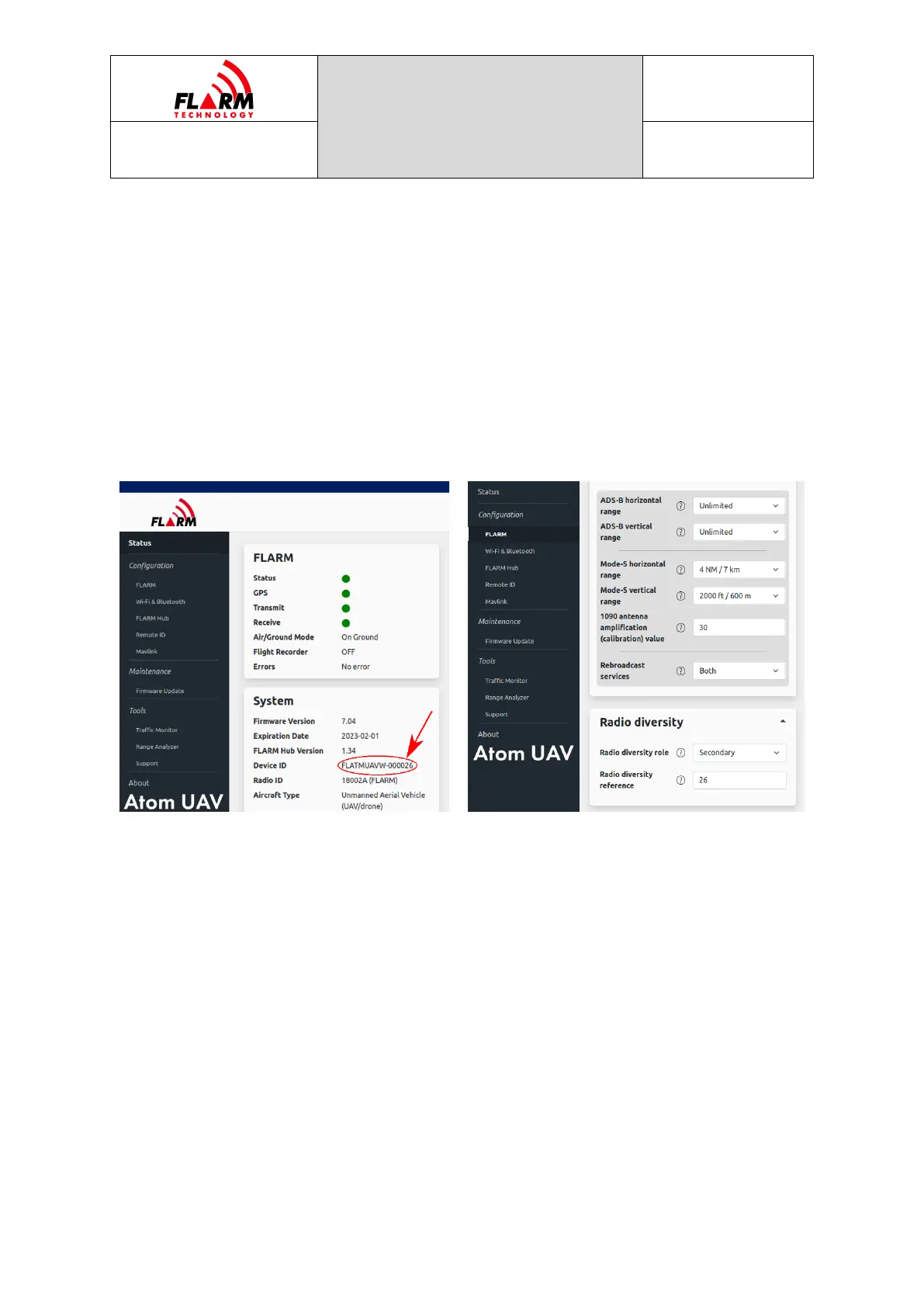
The secondary device requires the reference to the primary device. This reference
is the serial number of the primary device, as can be found on the sticker on the
device or in the web interface, on the “Status” page, under “System”, “Device ID”,
e.g., 26 for the primary with the Device ID FLATMUAVW-000026.
Note: Only devices of the same type can be used in a diversity setup. Specifically,
the OEM variant cannot be mixed with the standalone variant.
Identification of serial number in primary device
Setting radio diversity role in secondary device
4.1.2 Wi-Fi & Bluetooth
Wi-Fi and Bluetooth settings and network names can optionally be changed, e.g.,
to make it easier to identify a particular device. The default password (“password”)
must be changed during initial configuration.
Wireless connectivity (Wi-Fi and Bluetooth) can be disabled under configurable
conditions (in-flight, with valid GPS, or after specific elapsed time since power-on).
4.1.3 Configuration Lock
To prevent unauthorized persons from modifying the configuration, the
configuration can be locked by a password. Set a password that is different from
the Wi-Fi password. Users will still be able to access FLARM Hub but will not be
able to change the locked configuration items.


 To Next Page