11
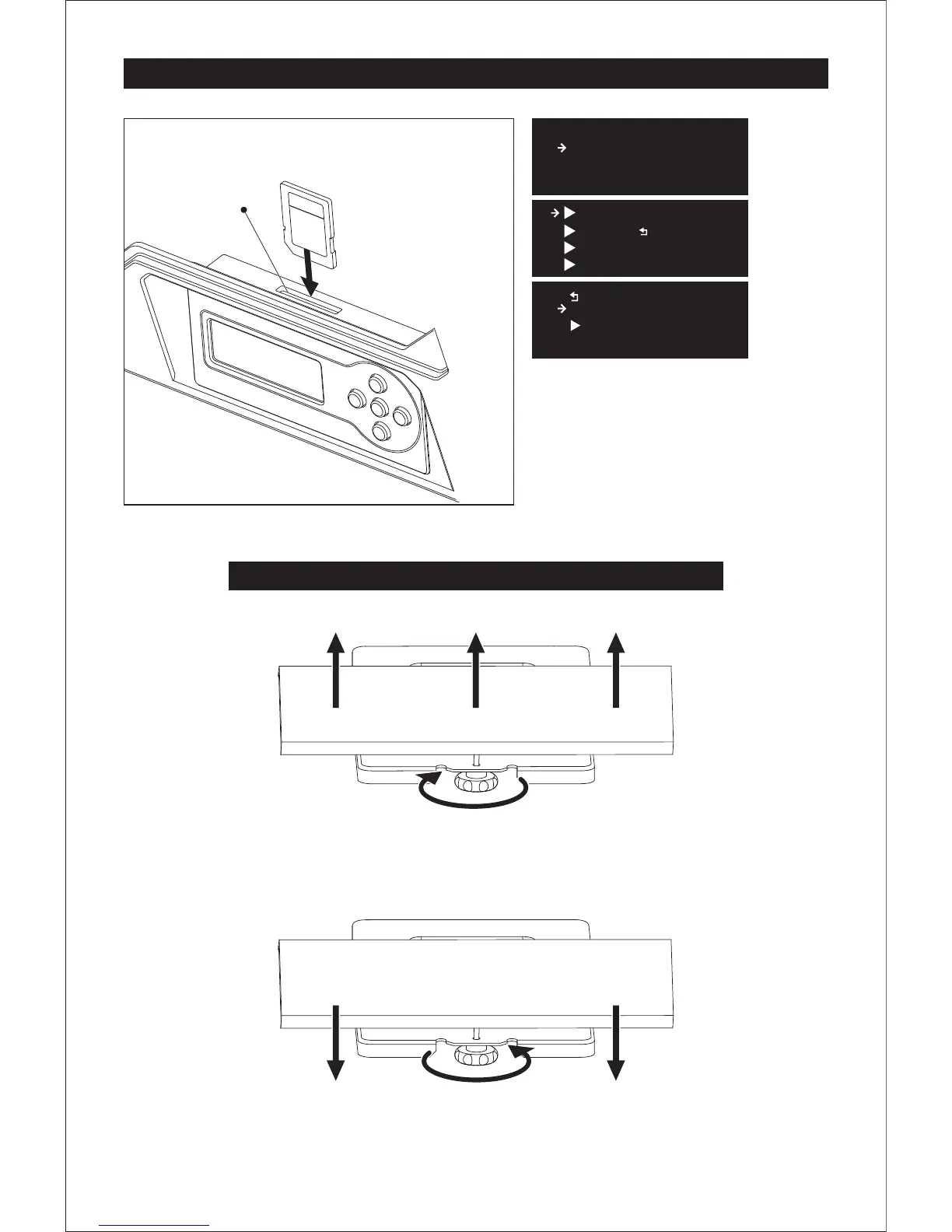
Leveling Build Platform
SD Card Slot
1. Attach the power supply, plug the power
cable into an electrical outlet and turn on
the printer.
2. Insert the SD card into the slot. Tap
[Print from SD] and Tap [OK]. Tap [ENG]
and tap [OK].
Then you will see the [Plateleveling.x3g].
How to use the leveling knobs
Raise the build plate to reduce the distance between the nozzle and build plate.
Lower the build plate to increase the distance between the nozzle and build plate.
Rotate knob clockwise
Rotate knob anticlockwise
FF Creator Pro
Print from SD
Preheat
Utilities
PlateLeveling.x3g
test model
Exit Menu
ENG
..
FlashPrint Go
Σ
Happy3D soft
Σ















 To Next Page