09
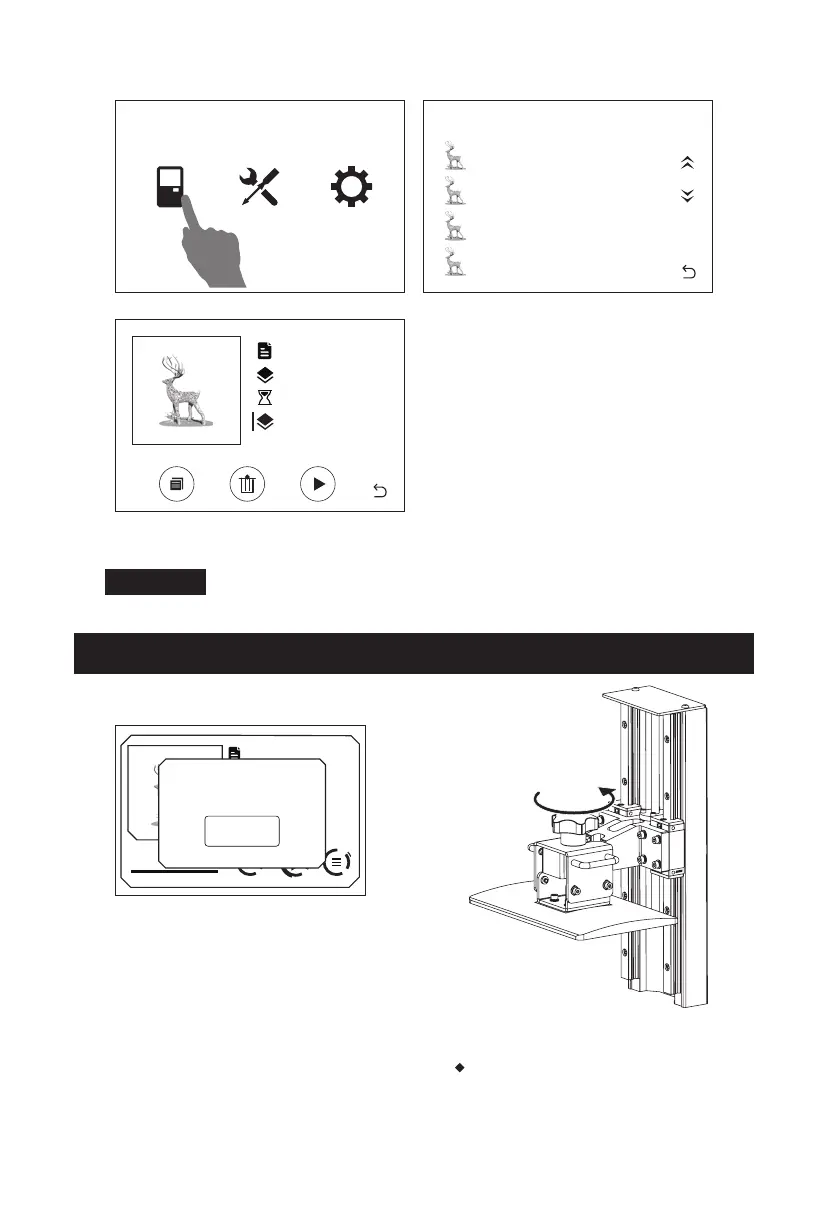
5. Click the [Print] to enter the model list. Click the model file to star the printing.
Do not open the top cover during printing to avoid eyes hurt.
Note
Post-processing
1. There will be a prompt on the touch
screen when the printing is completed.
Click [OK] and then open the top cover.
2. Loose the nut to remove the build
plate.
Note: Be careful not to damage the
FEP film in the resin box or the LCD
screen during removal.
Print Tool System
Model-01
File list
Model-02
Model-03
Model-04
Model-01
1000
3 h 49 min
0.05 mm
Dental Model
1000
3 h 49 min
0.2mm
100%
OK
Print Completed!
Time: 3h49min















 To Next Page