First Printing
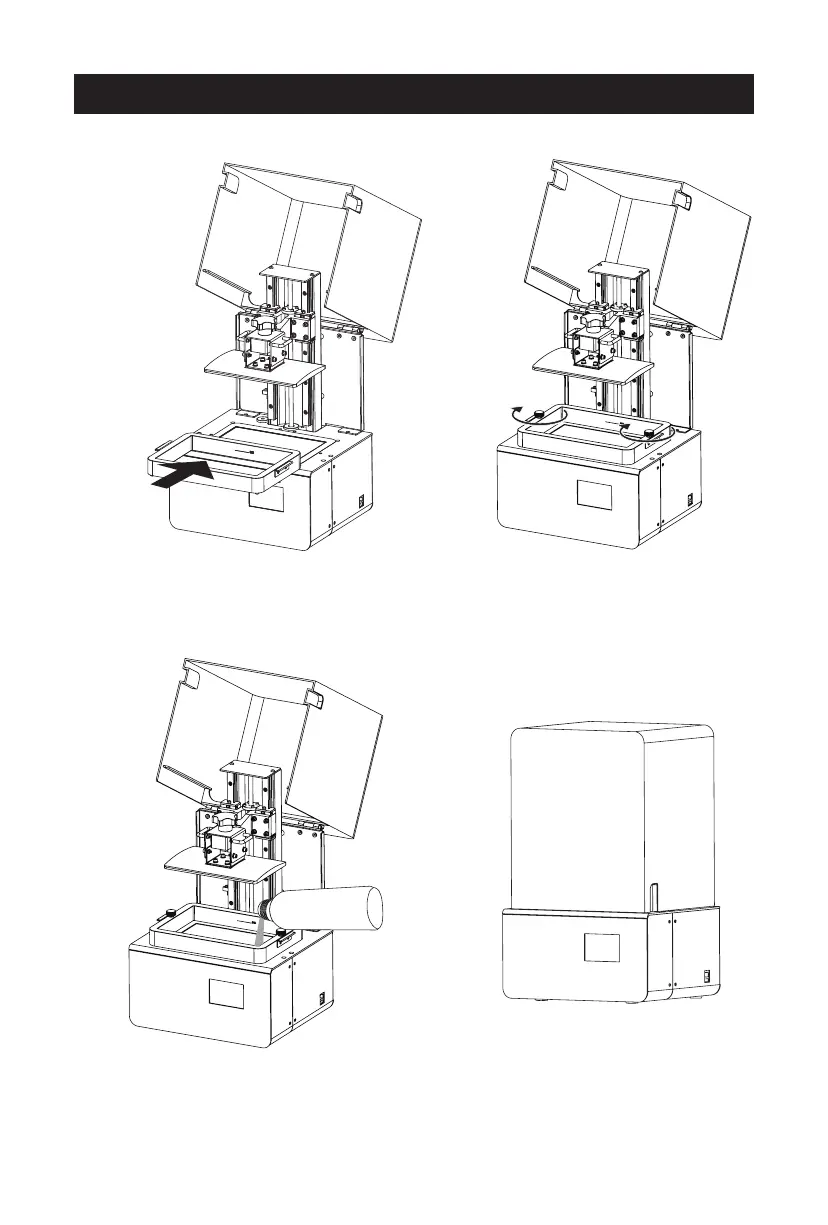
1. Make sure the LCD screen, build plate and
resin box is clear enough. Install the resin
box on the LCD screen.
3. After confirm the installation of resin box
and build plate, pour the resin into the
resin box. Note that capacity shall not
exceed the mark line in the resin box.
4. Close the light shield after all
above preparatory steps.
2. Tighten the knobs to fix the box.
08















 To Next Page